Author: admin

  • Bling in Your Pocket: Precious Metals in Your Smartphone

    Bling in Your Pocket: Precious Metals in Your Smartphone

    If you want cash for your old smartphone, tablet, or computer, get a free quote from Tech Reboot today.

    Hey there, smartphone enthusiasts! Ever wondered what makes your sleek device tick beneath the surface? It turns out there’s more than just fancy screens and snazzy features – precious metals are the unsung heroes working behind the scenes.

    Gold: Not Just for Jewelry

    You know gold – that blingy metal associated with luxury? Well, it’s not just for show in your smartphone. Gold’s not-so-secret superpower is being an awesome conductor of electricity. Those tiny connectors and circuits in your phone? They’re often made with gold-plated copper. This keeps the electrons flowing smoothly, making sure your phone functions without a hitch.

    Silver: Conductivity on Fleek

    Silver joins the party too! Like gold, silver is a rockstar when it comes to conducting electricity. It’s hanging out in your phone’s wires, connectors, and microprocessors, making sure everything runs like a well-oiled machine. Plus, silver has this cool antimicrobial thing going on, keeping your phone cleaner and more germ-free. Double win!

    Copper: The Unsung Hero

    Copper may not be as glam as gold, but it’s the backbone of your phone’s connectivity. Its stellar conductivity makes it perfect for wiring and connectors. Often teaming up with gold or silver in fancy alloys, copper strikes that sweet spot between high performance and cost-effectiveness. Who knew copper was such a team player?

    Platinum and Palladium: The Recycling Stars

    Meet the not-so-common players, platinum, and palladium. While they’re not as popular as gold and silver in smartphones, they’re making a comeback in a sustainable way. These metals are being recycled from electronic waste, like old catalytic converters from cars. Some smartphone makers are even using recycled platinum and palladium in their devices, giving a nod to sustainability.

    So, the next time you marvel at your high-tech gadget, remember it’s not just about the looks and features. Gold, silver, copper, platinum, and palladium are the real MVPs behind the scenes. As we embrace the smartphone revolution, let’s also keep an eye on eco-friendly practices and recycling initiatives. After all, bling is cool, but responsible bling? That’s even cooler.

    Photo by rc.xyz NFT gallery on Unsplash

  • The Green Revolution: Embracing the Benefits of Repairing and Recycling Electronic Devices

    The Green Revolution: Embracing the Benefits of Repairing and Recycling Electronic Devices

    To sell your device for cash, get a free quote today

    To repair your device, visit our sister company, iFixYouri.

    In the age of rapid technological advancements, electronic devices have become an integral part of our daily lives. However, with the constant upgrade cycle and the rise of electronic waste, let’s explore the myriad benefits of repairing or recycling our electronic companions.

    Environmental Conservation

    Electronic waste, or e-waste, poses a significant threat to the environment. By choosing to repair or recycle your electronic devices, you reduce the amount of e-waste in landfills. Proper disposal of electronic components prevents hazardous materials from leaching into the soil and water, safeguarding ecosystems and human health.

    Resource Conservation

    Manufacturing electronic devices requires many natural resources, including rare minerals and metals. Repairing or recycling devices helps in conserving these valuable resources. By extending the lifespan of your gadgets, you decrease the demand for new materials, reducing the environmental impact of resource extraction and processing.

    Energy Savings

    The energy expended in the production of electronic devices is substantial. Repairing or recycling electronics consumes significantly less energy compared to manufacturing new ones. When you choose to repair your device, you contribute to energy conservation and decrease the carbon footprint associated with the production process.

    Economic Benefits

    Repairing electronics not only saves you money but also stimulates local economies. Repair businesses create jobs and support a sustainable economic ecosystem. Additionally, recycling programs like here at Tech Reboot generate employment opportunities in the collecting, sorting, and processing of electronic waste.

    Technological Innovation

    Choosing repair over replacement encourages innovation in the field of electronics. Repair technicians develop skills to fix devices, fostering a culture of problem-solving and creativity. This, in turn, contributes to more sustainable and repairable electronic products.

    Data Security

    When disposing of electronic devices, ensuring the secure deletion of personal data is crucial. Recycling services often include data wiping procedures, protecting your sensitive information. This focus on data security adds another layer of benefit to the environmentally conscious choice of recycling.

    Community Building

    Repair initiatives can foster a sense of community. Local repair shops and initiatives often bring people together, creating a network of individuals passionate about sustainability. Participating in repair events or supporting local repair businesses connects you with like-minded individuals working towards a common goal.

    From environmental conservation and resource efficiency to economic benefits and community building, the advantages are undeniable. It’s time to embrace a greener approach to technology, ensuring a sustainable future for generations to come. Happy repairing and recycling!

    Photo by Erik Mclean on Unsplash

  • How to Keep Your Devices Safe from Malware and Pesky Viruses

    How to Keep Your Devices Safe from Malware and Pesky Viruses

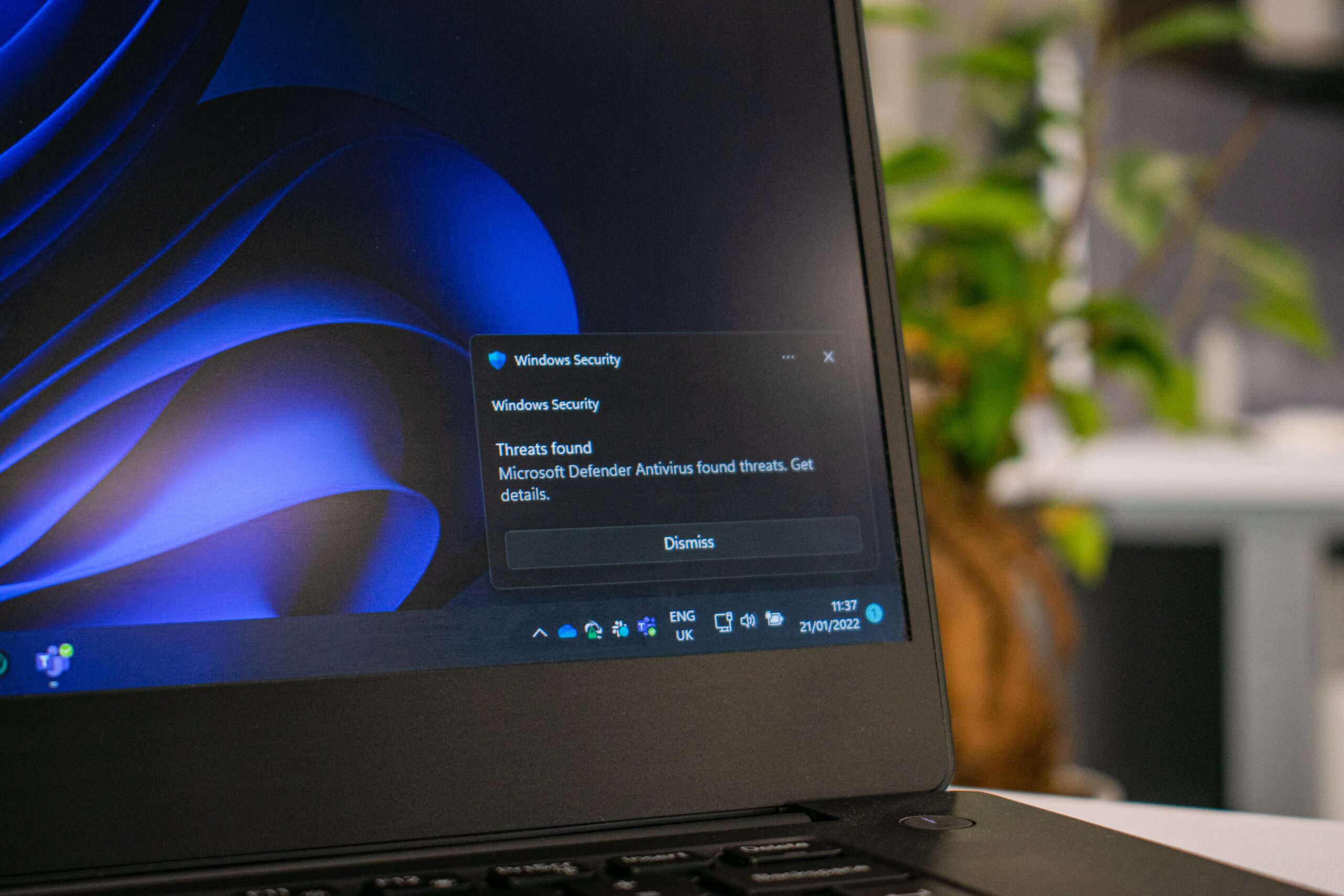
    In this digital age, our gadgets have become our trusty sidekicks for everything from chatting with friends to binge-watching the latest cat videos. But as we cozy up with our devices, there’s a gang of troublemakers lurking in the virtual shadows: malware and viruses. They’re like those pesky bugs that just won’t leave you alone. But fear not! We’ve got your back with this epic guide on how to keep your gadgets safe from these digital bullies.

    If you are done with your old computer and need some extra cash, contact Tech Reboot to get a cash value quote today.

    Grab Yourself Some Anti-Virus Superheroes

    First things first, you need some anti-virus muscle to fight off those digital baddies. There are some big names in the anti-virus game like Norton, McAfee, Bitdefender, and Avast. These heroes scan your device for trouble and make sure those malware and viruses don’t stand a chance. Just keep ’em updated, as the bad guys are always coming up with new tricks.

    Keep Your Software Up-to-Date

    Think of your operating system and software updates like getting the latest cool gadgets for your superhero team. Those updates often patch up security holes, making it tougher for malware to sneak in. So be sure to enable automatic updates to keep your gang of heroes on their toes.

    Activate the Forcefield (Firewall)

    Ever heard of a firewall? It’s like a forcefield for your device against incoming threats. Make sure yours is active, and you’ll have an extra layer of protection.

    Surf the Web Like a Pro

    Safe web surfing is key. Here’s the deal:

    • Look for that padlock in your browser’s address bar (HTTPS). If it’s there, you’re in a safer zone. Avoid entering your sensitive info on non-HTTPS sites.
    • Stay away from sketchy websites that offer too-good-to-be-true deals or free downloads.
    • Install an ad-blocker to fend off those annoying ads that might carry malware.
    • Be extra careful with emails – don’t click on weird links or open suspicious attachments.

    Download Software Like a Ninja

    When you’re downloading stuff, be a ninja about it:

    • Stick to official sources or trusted app stores.
    • Check out user reviews and ratings before you download anything.
    • Choose the custom installation option when installing software to dodge any sneaky add-ons.

    Backup, Backup, Backup

    Backing up your stuff is often overlooked these days. In case your device gets hit by malware, you won’t lose your precious data. Use cloud storage or an external hard drive and set up automatic backups for extra safety.

    School’s in Session

    Stay in the know about the latest malware trends and threats. Teach your friends, family, and coworkers about safe online habits. Knowledge is power, my friend!

    Watch Out for Sneaky USB Drives

    USB drives can carry malware from one place to another like a Trojan horse. So, be extra cautious when plugging them into your computer. Run an antivirus scan on those files before opening anything.

    Fortify Your Passwords

    Lock up your digital kingdom with strong, unique passwords. Use a password manager like LastPass or Keepass to keep track of them, and activate two-factor authentication when you can. It’s like having a moat around your digital castle.

    So, there you have it, a guide on how to keep your gadgets safe from malware and viruses. Remember, staying informed and being a bit cautious are your best buddies in the online world. Now, go forth and surf the digital waves! 🦸‍♀️🦸‍♂️💻🛡️

    Photo by Ed Hardie on Unsplash

  • From Tunes in Our Pockets to Music in the Cloud: The iPod Story

    From Tunes in Our Pockets to Music in the Cloud: The iPod Story

    Title: 

    Hey there, music lovers! Let’s take a laid-back stroll through the groovy history of iPods. You know, those nifty gadgets that turned our music world upside down.

    Birth of the iPod (2001)

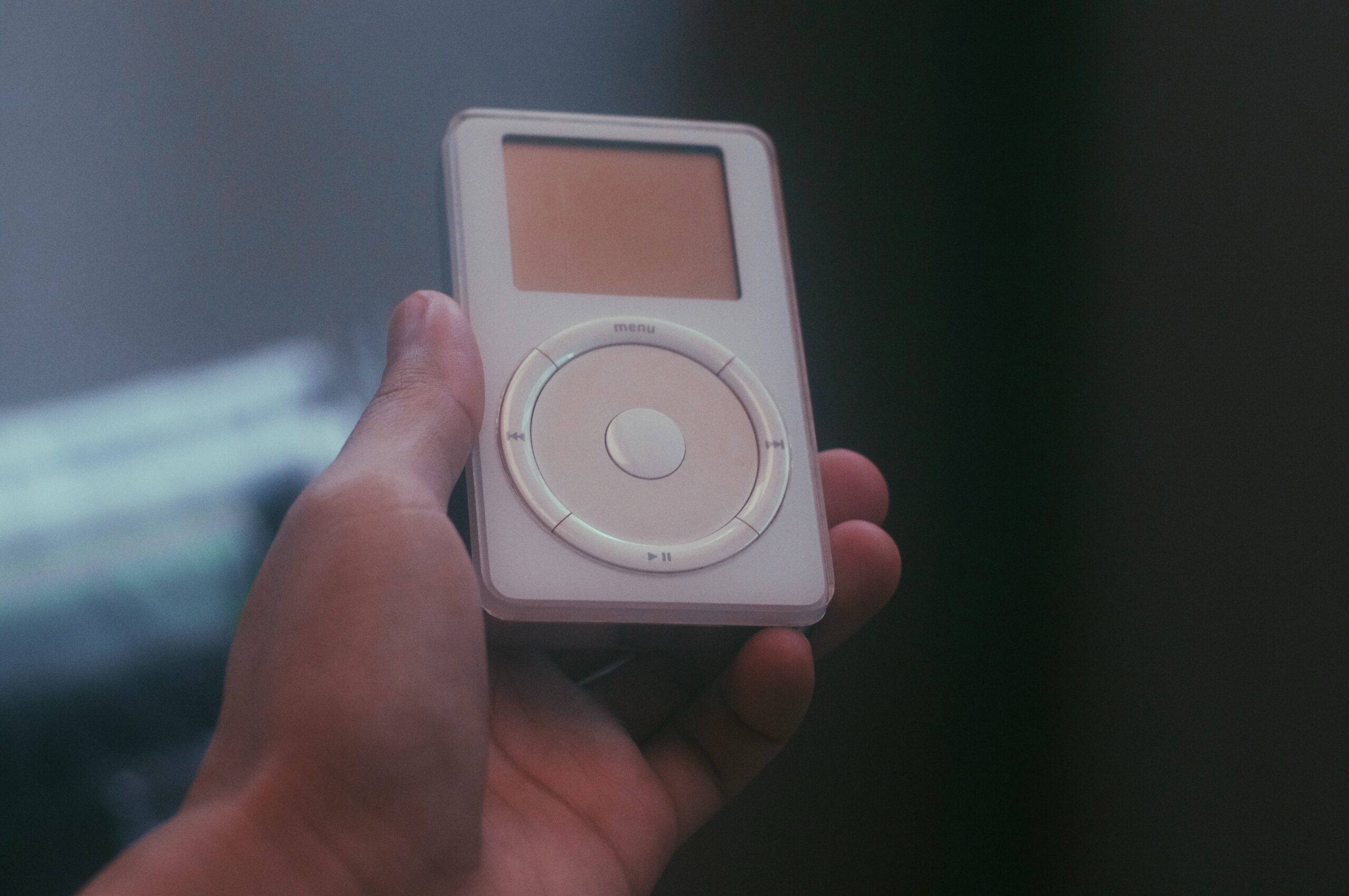
    Way back in October 2001, Apple’s big boss, Steve Jobs, pulled a rabbit out of his tech hat – the very first iPod. Forget clunky MP3 players; this sleek, shiny device had that cool scroll wheel, making it dead simple to flip through your music. It could store about 1,000 songs on its 5 GB hard drive – a true game-changer for music lovers on the go.

    iTunes Joins the Party (2003)

    In 2003, Apple unleashed iTunes, a digital media player and music management tool. And what did they do? They made iTunes buddies with the iPod, giving us the power to shop and download music right to our devices. Suddenly, getting your favorite tunes became a breeze, and the iPod and iTunes became besties for life.

    The Mini and Nano (2004-2005)

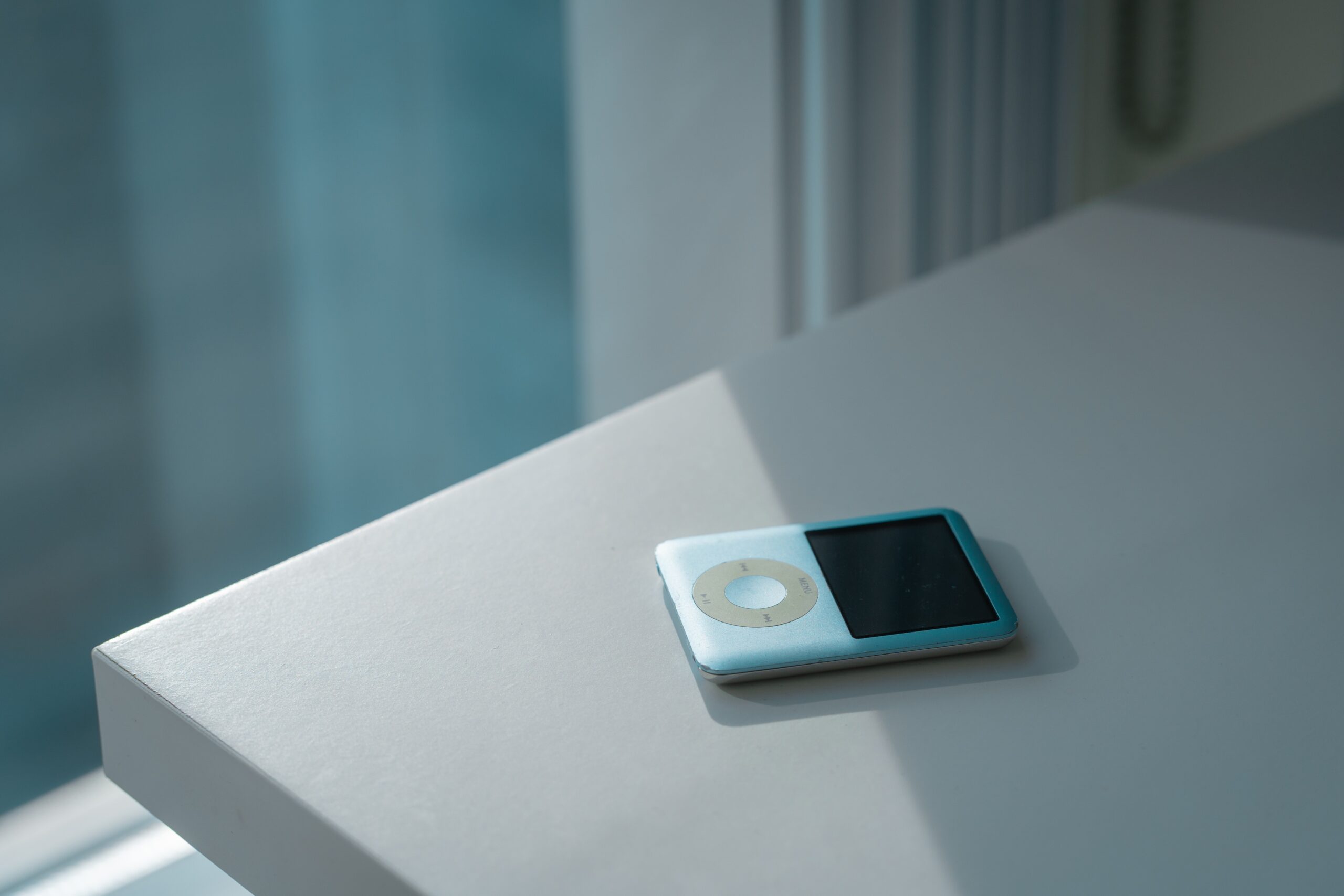
    Apple decided to miniaturize the magic. First came the iPod Mini in 2004, a cute and compact version in a rainbow of colors. It had a 4 GB hard drive and looked good while rocking out. Then, in 2005, the iPod Nano hit the scene. It was small, slim, and stylish, boasting a vibrant display – a true fashion statement for your music.

    The iPod Touch (2007)

    Fast forward to 2007, and the iPod Touch emerged as a breath of fresh air. It wasn’t just for music; it was like an iPhone without the calls. With a touch screen, internet access, and the App Store, it opened up a world of possibilities – a real multitasking marvel.

    The Classic and Shuffle (2007)

    Some of us couldn’t let go of the classic iPod design, and Apple understood that. They introduced the iPod Classic in 2007, an updated version of the original with more storage choices. Meanwhile, the iPod Shuffle kept it old-school with no fancy screen – just pure music in shuffle mode.

    The Decline and Discontinuation (2014)

    Times change, and so do our gadgets. With smartphones taking over, the iPod’s star began to fade. In 2014, Apple said goodbye to the iPod Classic, signaling the end of an era. The classic iPod was on its way out, and the smartphone was the new sheriff in town.

    Legacy and Conclusion

    Although the classic iPod might be ancient history, its spirit lives on. It transformed how we groove to our favorite tunes, ushering in the digital music revolution. It made us swap CDs for MP3s and streaming services, and it rocked our world with a pocket-sized music library.

    So, while you won’t see many people carrying around a classic iPod these days, its impact is still reverberating through our lives. It was a music icon that paved the way for our modern music streaming era, and it deserves a place of honor in the Music Hall of Fame. 🎵✌️ 


    If you have an old iPod you would rather get rid of, please contact Tech Reboot today for a cash offer!


    Photo by Ruijia Wang on Unsplash

  • Turn Your Old Gadgets into Cash, No Stress, No Mess

    Turn Your Old Gadgets into Cash, No Stress, No Mess

    Hey there, tech-savvy pals! We get it, life moves fast, and so does technology. So, what do you do with all those retired gadgets cluttering up your space? Well, we’ve got the answer: Tech Reboot. They’re like the tech magician who can turn your used devices into cash, and here’s why it’s a real game-changer!

    Tech Reboot: Where Old Gadgets Get a Second Chance

    Tech Reboot is like the fairy godmother of electronics. They make sure your old gadgets don’t end up as relics in your junk drawer. Here’s what makes Tech Reboot a standout in the world of gadget recycling:

    Show Me the Money!

    The best part: Tech Reboot pays you cash for your used gadgets. It’s like finding treasure in your old stuff! Smartphones, tablets, laptops, or gaming consoles—whatever you’ve got, they’ll offer you a fair price for it.

    Saving the Planet

    Tech Reboot is on a mission to save the planet one gadget at a time. They’re all about reducing e-waste and making the Earth a happier place. When you sell your old device to them, you’re not just pocketing cash; you’re also saving the environment.

    Easy-Peasy Process

    Tech Reboot has made selling your gadgets a piece of cake. You visit their website, tell them about your device, and, bam, you get a quote in a snap. If you like the offer, you ship the gadget to them using their prepaid label. Once they get it, they don’t keep you waiting for your money.

    Guarding Your Data

    Worried about your personal data? Tech Reboot has got you covered. They’re super serious about data security. Your info gets wiped clean from your device before they do anything with it. So, no worries there!

    They Take Almost Everything

    Tech Reboot accepts a bunch of devices, from various brands. If you’ve got it, chances are they want it.

    The Perks of Selling to Tech Reboot

    Why should you consider Tech Reboot for your used gadgets? Well, here are some pretty solid reasons:

    Cash in Your Pocket:

    You get paid for your old gadgets, so you can splurge on new ones or anything else you fancy.

    Green Warrior:

    By selling to Tech Reboot, you’re part of the movement to reduce e-waste and keep our planet green.

    Data Safe:

    Your personal data is in safe hands. Tech Reboot takes data security seriously, and they wipe it clean.

    Super Easy:

    Selling to them is as easy as ordering a pizza online. No stress, no mess!

    Supporting a Greener Future:

    Tech Reboot is all about making the world a better place. By selling to them, you’re part of that journey.

    In a nutshell, Tech Reboot is the gadget guru you need in your life. Don’t let those old devices collect dust; turn them into cash with Tech Reboot. It’s a win-win—you get money, and the planet gets a little greener. So, why wait? Give your gadgets a second chance today and make some extra cash the easy way with Tech Reboot!

    Photo by Cartoons Plural on Unsplash

  • Why Taking Care of Your Smartphone Matters

    Why Taking Care of Your Smartphone Matters

    Before we begin, if you need cash now, get a free quote from Tech Reboot for your old phone. We offer cash for used devices. Now for the content…

    Smartphones have become our trusty sidekicks. They help us stay connected, get stuff done, and even keep us entertained during those long commutes. But here’s the kicker – we often don’t give our beloved gadgets the TLC they deserve. In this blog post, we’re going to chat about why giving your smartphone some regular love and attention is a must for all you smartphone aficionados out there.

    Keepin’ It Alive for Longer

    Like any piece of tech, smartphones have a shelf life. But guess what? You can stretch that life with some good old-fashioned maintenance. By looking after your device, you can push back that dreaded “time for a new phone” moment, which means saving both your hard-earned cash and Mother Earth. What kind of maintenance, you ask? Stuff like keeping the screen clean, updating your software, and swapping out those tired batteries.

    Smooth Sailing All the Way

    Over time, smartphones collect all sorts of digital junk – cached data, temporary files, and sneaky background apps that hog resources. This can slow your phone down, drain the battery, and just make everything feel sluggish. But don’t fret – regular maintenance can save the day. Clearing out that digital clutter, closing apps you don’t need, and giving your phone a little tune-up can keep it running like a champ.

    Locking It Down

    Your smartphone isn’t just a fancy gadget; it’s a treasure trove of your personal info. From emails to banking apps, your life’s in there! Security is key, and that means staying on top of updates.

    Manufacturers release updates to keep the bad guys out and your data safe. Skipping these updates is like leaving your front door wide open for digital burglars – not cool!

    Back It Up, Baby!

    Losing precious data on your smartphone is a nightmare. Photos, contacts, messages – all gone in a flash. But here’s the deal: regular backups are your safety net. Back up your data to the cloud or an external storage buddy. That way, even if your phone takes a nosedive, your cherished info stays safe and sound.

    Looking Good, Feelin’ Good

    A well-kept smartphone isn’t just about performance; it’s also about looks. A clean screen, a scratch-free case – it’s like giving your phone a mini-spa day. Using protective cases and screen shields is like dressing it in armor, keeping it stylish and safe.

    Saving Your Hard-Earned Bucks

    Ignoring smartphone maintenance can cost you a pretty penny. Repairs or a new phone can be a wallet-buster. Instead, invest a bit of time and effort in regular upkeep. It’s like insurance for your tech happiness – prevent problems before they pop up.

    Eco-Friendly Vibes

    Did you know that smartphone manufacturing and disposal take a toll on our planet? By keeping your device in top shape through regular maintenance, you’re helping reduce electronic waste. It’s a small effort, but it adds up to a greener world for all of us.

    In a nutshell, your smartphone isn’t just a gadget; it’s your trusty sidekick in the modern world. Regular maintenance isn’t a chore; it’s an act of love for your device. It’ll keep your phone humming along smoothly, your data safe, and your wallet happy. So, don’t wait until your smartphone starts acting funky or showing its age. Show it some love regularly, and you’ll enjoy a smoother, safer, and longer-lasting smartphone experience. Cheers to tech-savvy you!

    Photo by Rodion Kutsaiev on Unsplash

  • A Journey Through Time: The History of Video Game Systems

    A Journey Through Time: The History of Video Game Systems

    Video games have come a long way since their humble beginnings as pixelated adventures on a black-and-white screen. The history of video game systems is a fascinating journey that has seen countless innovations, technological leaps, and cultural shifts. In this blog post, we’ll take you on a chronological tour of the evolution of video game systems, from their inception to the cutting-edge consoles of today.

    The Birth of Gaming: The 1950s and 1960s

    The roots of video game systems can be traced back to the 1950s and 1960s, when scientists and engineers began experimenting with digital technologies. One of the earliest examples of an interactive electronic game was “Tennis for Two,” created by physicist William Higinbotham in 1958. This game, displayed on an oscilloscope screen, allowed players to control a paddle and play a simplified version of tennis.

    The First Commercial Video Game: The Magnavox Odyssey (1972)

    The true birth of the video game console industry came in 1972 with the release of the Magnavox Odyssey, designed by engineer Ralph Baer. It allowed players to interact with a TV screen, offering a limited selection of games like Pong and Table Tennis. The Odyssey marked the beginning of home video gaming, even though it was relatively simple by today’s standards.

    The Golden Age of Arcades: The Late 1970s and Early 1980s

    While home consoles were emerging, the late 1970s and early 1980s witnessed the rise of the arcade industry. Games like Space Invaders, Pac-Man, and Donkey Kong became iconic titles that captivated players around the world. These arcade machines showcased the potential of interactive entertainment and laid the foundation for the popularity of video games.

    The Video Game Crash of 1983

    The early 1980s also brought about a challenging period for the video game industry. Oversaturation of low-quality games and the market’s inability to sustain the demand led to the video game crash of 1983. This crisis resulted in the bankruptcy of many video game companies and a temporary decline in the industry.

    The NES Revolution: Nintendo Entertainment System (1985)

    The revival of the video game industry can be largely attributed to the release of the Nintendo Entertainment System (NES) in 1985. With classics like Super Mario Bros. and The Legend of Zelda, the NES reignited interest in home gaming. Nintendo’s strict quality control and the introduction of the iconic “Seal of Quality” restored consumer trust and set a new standard for console gaming.

    The 16-Bit Era: Sega Genesis and Super Nintendo (Late 1980s-1990s)

    The late 1980s and early 1990s saw a fierce rivalry between Sega and Nintendo. Sega’s Genesis and Nintendo’s Super Nintendo (SNES) represented the 16-bit era and delivered groundbreaking graphics and gameplay. Iconic characters like Sonic the Hedgehog and Mario continued to define the industry during this period.

    The 3D Revolution: Sony PlayStation (1994)

    In 1994, Sony entered the console market with the PlayStation. Boasting 3D graphics and a CD-based format, it revolutionized gaming. Titles like Final Fantasy VII and Metal Gear Solid set new storytelling and cinematic standards for the medium. The PlayStation’s success signaled the shift from 2D to 3D gaming.

    The New Millennium: Xbox, PlayStation 2, and Beyond (2000s)

    The early 2000s witnessed the introduction of the Microsoft Xbox and the PlayStation 2, both pushing the boundaries of graphics and gameplay. Online gaming and the concept of a multimedia hub began to take shape. Consoles became more than just gaming machines; they became entertainment centers.

    The HD Era: Xbox 360, PlayStation 3, and Wii (Mid-2000s)

    The mid-2000s brought high-definition gaming to the forefront with the Xbox 360, PlayStation 3, and Nintendo Wii. Motion controls and innovative game design further diversified the gaming experience. The Wii’s accessibility appealed to a broad audience, expanding the gaming demographic.

    The Current Generation and Beyond

    Today, we find ourselves in the era of powerful and sophisticated consoles such as the PlayStation 5 and Xbox Series X. These systems offer 4K graphics, ray tracing, and lightning-fast load times, pushing the boundaries of what’s possible in gaming. Furthermore, advancements in virtual reality (VR) and augmented reality (AR) promise even more immersive experiences in the future.

    The history of video game systems is a testament to human creativity, innovation, and the enduring appeal of interactive entertainment. From the humble beginnings of the Magnavox Odyssey to the cutting-edge technology of today’s consoles, the journey has been marked by both triumphs and challenges. As we look ahead, it’s clear that the video game industry will continue to evolve, providing gamers with new and exciting experiences for years to come.

    If you are looking to upgrade or sell your old video game system, Tech Reboot offers cash for used consoles and electronic devices. Get a free quote today by contacting us.


  • Is It Time to Replace Your Chromebook? Here’s How to Tell

    Is It Time to Replace Your Chromebook? Here's How to Tell

    Chromebooks have gained immense popularity due to their affordability, speed,
    and simplicity. However, like any electronic device, they don’t last forever.
    Over time, you may notice a decline in performance or functionality. So, how
    do you know if it’s time to bid farewell to your trusty Chromebook and
    consider a replacement? In this blog post, we’ll explore the signs that
    indicate your Chromebook might be due for an upgrade.

    Sluggish Performance

    One of the most apparent signs that your Chromebook might be on its last legs
    is sluggish performance. If your device takes an eternity to boot up, load web
    pages, or run applications, it’s a clear indication that its hardware is
    struggling to keep up with modern demands. This sluggishness can be due to
    outdated components, limited RAM, or an aging processor. As software updates
    and web apps become more resource-intensive, an older Chromebook may struggle
    to keep pace.

    Frequent Crashes and Freezes

    Random crashes and freezes are frustrating and can disrupt your workflow. If
    your Chromebook frequently exhibits these issues, it’s a strong indicator that
    there might be underlying hardware problems. Over time, hardware components
    like the motherboard, memory, or storage drive can degrade, leading to
    instability in the system.

    Outdated Software Support

    Google provides software updates for Chromebooks for a predetermined period.
    Once a Chromebook reaches its end-of-life (EOL) date, it will no longer
    receive updates, including crucial security patches. Using an outdated
    Chromebook exposes you to potential security risks and limits your ability to
    access new features and apps. Check Google’s official list of Chromebook EOL
    dates to see if your device is still supported.

    Battery Life Decline

    As with all laptops, Chromebooks have a limited battery life, and this
    degrades over time. If you find yourself constantly looking for a power outlet
    for your Chromebook, it might be time to consider a replacement battery or a
    new device altogether.

    Physical Wear and Tear

    Physical wear and tear can significantly affect your Chromebook’s usability.
    If your keyboard keys are sticky, the touchpad is unresponsive, or the screen
    is cracked, it can make your device less enjoyable to use. While some issues
    may be repairable, extensive physical damage or multiple hardware problems
    might make replacement more cost-effective.

    Limited Storage Space

    Many Chromebooks come with limited onboard storage, relying heavily on cloud
    storage for user data. However, if you constantly receive “out of storage”
    notifications or find it challenging to manage your files due to space
    constraints, it may be time to upgrade to a Chromebook with more storage or
    consider using external storage options.

    Your Chromebook, like any other device, has a finite lifespan. Recognizing the
    signs that it’s time for a replacement can help you avoid the frustration of
    using a sluggish, outdated device and improve your overall productivity and
    user experience. If your Chromebook exhibits several of these signs and is no
    longer under warranty, it’s probably a good time to start shopping for a new
    one. With the continual advancements in Chromebook technology, you’re likely
    to find a replacement that suits your needs and budget. Also, you can always get a free offer on your old Chromebook by contacting Tech Reboot. 

    Photo by Nathana Rebouças on Unsplash

  • Unlocking Hidden Value: Preparing to Sell Your Old Video Game System to Tech Reboot

    Unlocking Hidden Value: Preparing to Sell Your Old Video Game System to Tech Reboot

    If you’re a passionate gamer, you likely have fond memories of your old video game systems. Whether it’s the classic Nintendo Entertainment System (NES), the iconic PlayStation 2, or even a more recent Xbox 360, these consoles hold a special place in your heart. However, as technology evolves, it’s common to outgrow your old gaming companions, leaving them to collect dust on a shelf. The good news is that there’s a way to give your old video game systems a second life and make a little extra cash in the process. Companies like Tech Reboot specialize in buying used gaming hardware, and with the right preparation, you can maximize the value of your old gaming console. In this blog post, we’ll guide you through the steps to prepare your old video game system for sale to Tech Reboot or a similar company.

    Clean and Restore

    The first step in preparing your old video game system for sale is to give it a thorough cleaning and restoration. Over time, consoles can accumulate dust, dirt, and grime, which not only affects their appearance but can also hinder their performance. Here’s what you should do:

    • Gently dust the exterior: Use a soft microfiber cloth or a can of compressed air to remove dust and dirt from the console’s exterior. Pay close attention to crevices and ports.
    • Clean the controllers: If you’re including controllers with your system, make sure they are clean and in good working condition. Disassemble them if necessary to clean all the nooks and crannies.
    • Check for damage: Inspect the console and controllers for any physical damage, such as cracks, broken buttons, or loose parts. Repair or replace damaged components if possible.
    • Test the console: Plug in your console and test it to ensure that it powers on and functions properly. Check for any unusual noises, glitches, or error messages. Functioning devices always hold more value than broken devices.

    Gather Accessories

    Tech Reboot and similar companies often offer better prices for complete gaming packages. Therefore, gather all the necessary accessories that originally came with your console. This typically includes power cables, AV cables, HDMI cables (for more modern systems), and any additional peripherals like memory cards, headsets, or motion controllers.

    Organize Your Games and Save Data

    If you’re selling your old video game system, it’s a good idea to also include any games or save data you have. However, make sure to follow these steps:

    • Wipe personal data: Delete any personal information or saved games you want to keep. You can often transfer saved data to a USB drive for safekeeping.
    • Gather physical games: If you have physical copies of games, include them in the sale. Ensure they are in good condition with their original cases and artwork.
    • Digital games: If you have digital games tied to your account, check if they can be transferred to the buyer or provide access to your gaming account if allowed by the platform’s terms of service.

    Research Market Value

    Before contacting Tech Reboot or a similar company, research the market value of your old video game system. This will give you a better idea of what to expect in terms of pricing. Keep in mind that the condition of your console, included accessories, and the demand for that particular system can all affect its value.

    Contact Tech Reboot

    Once you’ve completed all the preparations, reach out to Tech Reboot or your chosen company to initiate the selling process. They will typically require you to provide details about your console, its condition, and the accessories you’re including. Be honest and transparent in your communication to ensure a smooth transaction.

    Packaging and Shipping

    If Tech Reboot agrees to purchase your old video game system, follow their instructions for packaging and shipping. Proper packaging is crucial to ensure that your console arrives in the same condition it was when you sent it. Use bubble wrap, anti-static bags, and sturdy boxes to protect your items during transit.

    Receive Payment

    Once Tech Reboot receives your package and verifies its contents and condition, you should receive your payment. Payment methods can vary, so clarify the payment process with them beforehand.

    Enjoy Your Earnings

    Congratulations! You’ve successfully sold your old video game system and accessories to Tech Reboot. You can now enjoy your earnings or reinvest them in your gaming hobby by purchasing a newer console or games.

    Selling your old video game system can be a rewarding experience, both financially and emotionally. It not only clears up space but also allows someone else to enjoy the nostalgia and entertainment that these classic consoles provide.


    By following these steps and preparing your console thoughtfully, you can ensure a smooth and profitable transaction with Tech Reboot or a similar company. So, dig out that old gaming system, give it some love, and let it find a new home in the hands of a fellow gamer!


    Photo by Fabian Albert on Unsplash

  • Embracing the Secondhand Tech Revolution: Why Pre-Owned Gadgets Lead the Way

    Embracing the Secondhand Tech Revolution: Why Pre-Owned Gadgets Lead the Way

    In a world where technological advancements outpace the speed of light, it’s easy to become enthralled by the allure of brand-new gadgets. But consider this: the future of tech doesn’t necessarily hinge on the latest releases. Instead, it’s being shaped by the burgeoning secondhand market. Welcome to the Secondhand Tech Revolution, where pre-owned gadgets reshape our technology consumption landscape. In this blog post, Tech Reboot explores why pre-owned gadgets spearhead the future and why you should enthusiastically adopt this captivating trend.

    Sustainability as the Driving Force

    The buzzword dominating the era? Sustainability. As environmental concerns amplify, consumers grow increasingly aware of their purchasing habits. Opting for pre-owned gadgets constitutes a small yet impactful stride toward curbing electronic waste. By elongating the lifecycle of devices, we significantly diminish the necessity for raw materials, energy-intensive manufacturing processes, and eventual electronic waste disposal. Every refurbished smartphone or computer signifies a reduction in carbon emissions and a contribution toward fostering a greener planet.

    Affordability and Accessibility on the Horizon

    Let’s admit it – the newest tech releases often bear a substantial price tag. The Secondhand Tech Revolution is democratizing access to premium gadgets. Imagine purchasing a top-tier smartphone or a high-performance laptop without emptying your wallet. By selecting pre-owned devices like those available at Tech Reboot or iFixYouri, you can enjoy the same technological benefits with a fraction of your budget. This democratization of technology ensures universal participation in the digital age, irrespective of financial constraints.

    Mitigating Obsolescence Anxiety

    Technology evolves rapidly, and it’s not uncommon for a once cutting-edge device to become obsolete within a few years. This phenomenon can lead to “obsolescence anxiety” – the fear that your newly acquired gadget will swiftly lose its value. The Secondhand Tech Revolution reshapes this outlook. When you purchase pre-owned, you actively embrace a device’s functionality rather than chase the latest trends. This shift in mindset alleviates stress and contributes to a more sustainable tech culture.

    Quality and Trust as Pillars

    One prevalent misconception about secondhand gadgets is that they’re innately inferior to their brand-new counterparts. Nonetheless, companies like Tech Reboot diligently refurbish and authenticate pre-owned devices, certifying they uphold high-quality standards. This translates to acquiring a device that mirrors both the appearance and functionality of a new one. Procuring from credible sources in the secondhand market ensures you obtain value for your investment without compromising quality.

    Conserving Resources and Diminishing Demand

    Production of new gadgets entails substantial resource consumption, encompassing everything from rare minerals to water and energy. Opting for pre-owned gadgets consequently curbs the demand for these resources and communicates a clear message to manufacturers regarding the urgency for sustainable practices. The broader the acceptance of the Secondhand Tech Revolution, the more potent the signal becomes for the tech industry to transition toward more responsible production methods.

    Become a Part of the Revolution

    The Secondhand Tech Revolution transcends a mere trend; it represents an essential stride toward a more sustainable, accessible, and conscientious tech ecosystem. By selecting pre-owned gadgets, you’re not only economizing and minimizing waste but also contributing to a brighter future for our planet.

    At Tech Reboot, we take pride in actively participating in this revolution. Our mission involves connecting purchasers and vendors of pre-owned smartphones and computers, ensuring that technology serves us all – today and in the future. Join us in reshaping the trajectory of tech – one refurbished gadget at a time.

    Photo by Daniel Romero on Unsplash