Category: Apple

  • Sell Your Used Devices Easily with Tech Reboot’s Live Chat

    Sell Your Used Devices Easily with Tech Reboot’s Live Chat

    Do you have an old smartphone, tablet, or computer collecting dust in a drawer? Instead of letting it go to waste, why not turn it into cash? At Tech Reboot, we make selling your used electronics simple, fast, and hassle-free. Here’s how you can easily sell your devices and get paid in no time.

    Step 1: Get an Instant Quote via Live Chat

    Our process starts with just a few clicks! Head over to our website and open the live chat feature. You’ll be connected with one of our friendly team members who will ask a few quick questions about your device—its model, condition, and any other important details. Within minutes, you’ll get an instant quote for your used device. It’s that easy!

    Step 2: Ship Your Device—We’ll Cover the Costs!

    Once you accept the quote, we’ll send you a prepaid shipping label. Simply package up your device, attach the label, and drop it off at your nearest shipping center. No need to worry about shipping fees or complicated processes—Tech Reboot has you covered.

    Step 3: We Verify and Pay You

    Once your device arrives at our facility, our technicians will carefully inspect it to ensure everything matches the description you provided. If everything checks out, we’ll send your payment right away. If there’s any discrepancy, we’ll work with you to adjust the quote as needed.

    Why Choose Tech Reboot?

    • Fast and Convenient: Our live chat feature makes getting a quote quick and easy. No need to wait for emails or long forms to fill out.
    • Free Shipping: We take care of all shipping costs, so you don’t have to worry about out-of-pocket expenses.
    • Trusted and Secure: Our team of experts thoroughly evaluates each device to ensure you get a fair price.
    • Environmentally Friendly: By selling your used electronics, you’re helping to reduce e-waste and promote sustainable recycling.

    Get Started Today

    Don’t let your unused devices gather dust! Turn them into cash with Tech Reboot’s simple and transparent process. Get your instant quote today via our live chat and see how easy it is to sell your smartphones, tablets, and computers.

    Start the process now and take the first step toward decluttering and getting paid!
  • How to Prepare Your Device for Selling to Tech Reboot: A Complete Checklist

    How to Prepare Your Device for Selling to Tech Reboot: A Complete Checklist

    Sending your smartphones, tablets, computers, or smartwatches to Tech Reboot for buyback evaluation can be a great way to declutter and make some extra cash. However, it’s crucial to ensure your devices reach their destination safely and securely. Here’s a step-by-step guide to help you ship your gadgets with peace of mind.

    Back Up Your Data

    Before shipping any device, back up your data if possible. This ensures you don’t lose any important information during the process.

    • Smartphones/Tablets: Use iCloud or Google Drive.
    • Computers: Use external drives or cloud storage services.
    • Smartwatches: Sync with your smartphone or cloud services.

    Factory Reset Your Device

    Performing a factory reset is essential for protecting your personal information.

    • Smartphones/Tablets: Go to settings > general > reset > erase all content and settings.
    • Computers: Reinstall the operating system and choose the option to wipe the hard drive.
    • Smartwatches: Go to settings > system > reset.

    Remove SIM Cards and Accessories

    Remove your SIM card and any accessories, such as cases, chargers, and additional storage cards. These items aren’t typically required for the buyback process.

    Clean Your Device

    Ensure your device is clean and free of dust. This not only makes a good impression but also helps in the evaluation process.

    Choose the Right Packaging

    Selecting the right packaging is crucial for preventing damage during transit.

    • Original Packaging: If you still have it, use the original packaging.
    • Alternative Packaging: Use a sturdy box that allows for at least 2 inches of padding around the device.

    Use Proper Padding

    Proper padding is vital to avoid any damage.

    • Bubble Wrap: Wrap your device in several layers of bubble wrap.
    • Packing Peanuts: Fill the box with packing peanuts to ensure your device doesn’t move around.
    • Foam Sheets: Foam sheets can provide additional cushioning.

    Secure the Box

    Make sure the box is securely sealed.

    • Packing Tape: Use strong packing tape to seal all openings of the box.
    • Reinforce Corners: Reinforce the corners of the box with additional tape for extra protection.

    Label the Package Clearly

    Label the package with the shipping label emailed to you by Tech Reboot. Don’t forget to add your return address. We recommend covering the shipping label with tape to prevent smearing, smudging, or tears that make the address illegible.

    Choose a Reliable Shipping Service

    Opt for a reliable shipping service that offers tracking and insurance.

    • Tracking: Choose a service that provides tracking so you can monitor the shipment.
    • Insurance: Insure the package for the estimated value of your device to protect against loss or damage.

    Keep Records

    Keep copies of your shipping receipt, tracking number, and any communication with Tech Reboot. This documentation can be useful in case of any issues during transit.

    Conclusion

    Shipping your devices securely to Tech Reboot ensures they arrive safely and can be evaluated for buyback without any hitches. By following these steps, you can protect your personal information, safeguard your device during transit, and enjoy a smooth and hassle-free buyback process. Happy shipping!

  • Cash in Your Clunky iPad! Tech Reboot’s Got Your Back!

    Cash in Your Clunky iPad! Tech Reboot's Got Your Back!

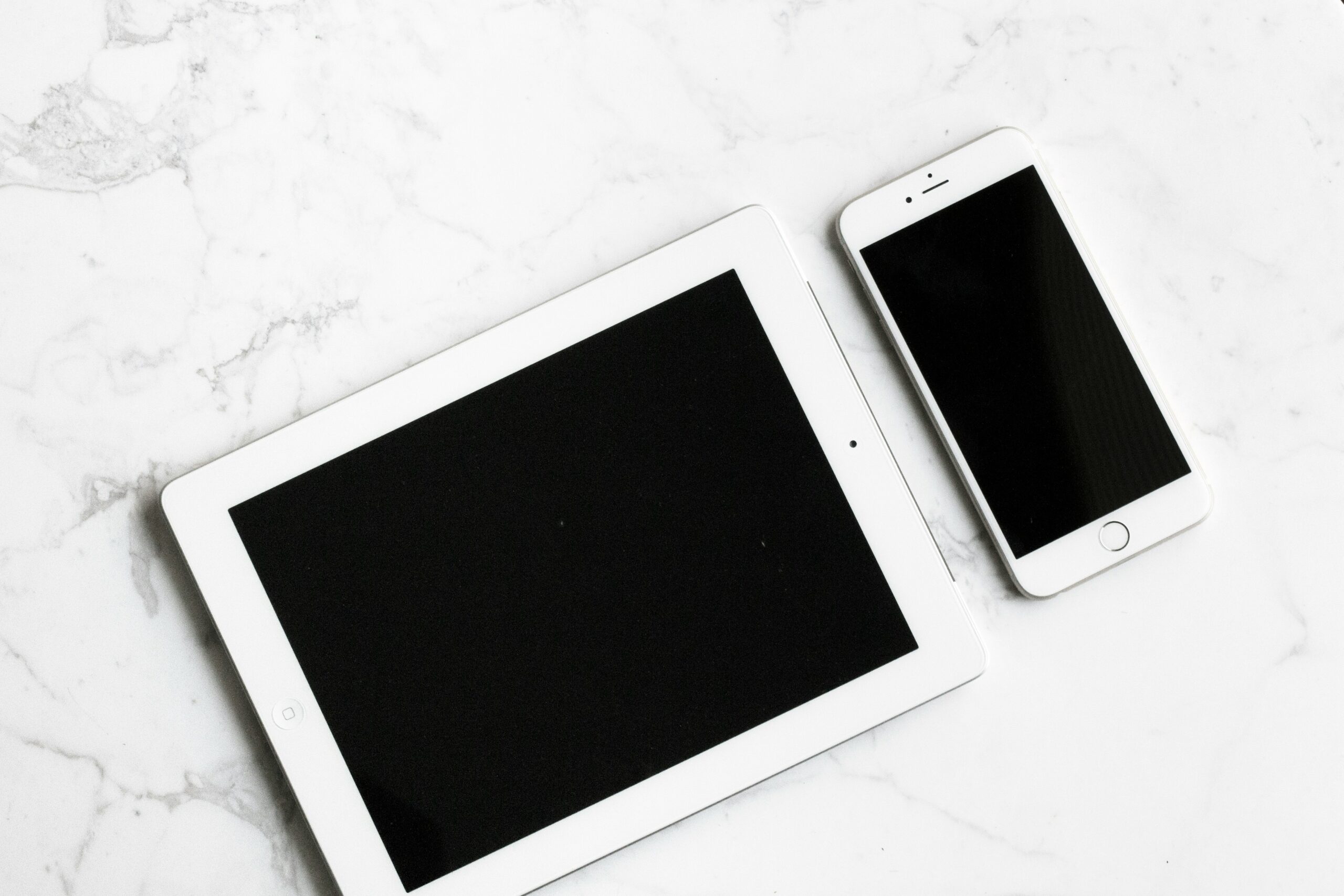
    Hey iPad pals! 📱 Ready to ditch that old iPad and score some cash in the process? Look no further than Tech Reboot – where your dusty iPad becomes a treasure chest! 💰🍏

    Why Hang on to That Ancient iPad?

    We get it, the latest iPads are slick. But what about your trusty old one, chilling in the drawer? Tech Reboot is on a mission to rescue it and hand you some sweet cash.

    Meet Tech Reboot’s iPad Buyback Bash:

    At Tech Reboot, we’re not here to complicate things. We’re here to make getting rid of your iPad easy, breezy, and worth your while.

    What iPads Are We After?

    📱 All iPad Models: From the classics to the cool kids – we’re game.

    🔧 Any Condition: Got a cracked screen or a bruised iPad? No sweat! We take ’em all.

    The iPad BuyBack Process:

    Wondering how to make the magic happen? It’s like ordering pizza, but even simpler:

    1. Spill the iPad Beans: Head to our website and select your model and answer a few quick questions about it.
    2. Get your Quote: We’ll toss a quote your way that’ll make your wallet do a happy dance.
    3. Ship That iPad: If you are satisfied with the quote, pack up your iPad, use our prepaid shipping label, and send it our way.
    4. Cash, Not Coupons: Once we evaluate your iPad, we’re sending you cash – no strings attached!

    Why Roll with Tech Reboot?

    ✅ Cold, Hard Cash: Forget vouchers, we’re talking cash money.

    ✅ iPad Redemption: Even if your iPad’s seen better days, we’re up for the challenge.

    ✅ Eco-Friendly Vibes: Help the planet out by giving your iPad a second shot at glory.

    Bottom Line:

    Bid farewell to your clunky iPad and make some moolah with Tech Reboot’s iPad Buyback Bash! Upgrade to the fancy new iPad and let your old buddy find a new home. Check our website today and let the cash party begin! 🎉🌐🍏

  • Is It Time to Give Your Old MacBook a Makeover? Let’s Talk Upgrades!

    Is It Time to Give Your Old MacBook a Makeover? Let's Talk Upgrades!

    Hey there, MacBook enthusiasts! So, you’ve had that trusty old MacBook for a while now, and you’re starting to wonder if it’s time to level up or ship out. In this laid-back blog post, we’ll chat about why upgrading your old MacBook might be the move and whether it’s worth the cash.

    If you decide to upgrade components of your MacBook, please give our friends at iFixYouri a shout. However, if upgrading doesn’t seem like the right move, you can always trade your MacBook to Tech Reboot for cash!

    Advantages of Upgrading

    Boost in Performance

    Let’s be real – who doesn’t want their MacBook to be snappier than ever? Upgrading things like RAM and storage can give your laptop a serious performance kick. Say goodbye to the spinning wheel of doom!

    Keep It Alive and Kicking

    Upgrading is like giving your MacBook a shot of adrenaline. Instead of tossing it out for a new one, a few smart upgrades can keep it chugging along for more years. Plus, it’s kinder to your wallet and the planet – double win!

    Stay in the Software Game

    Software updates are cool, but not when your old hardware can’t handle them. Upgrading keeps your MacBook on the software A-list, ensuring you get the latest features and security updates. It’s like getting a backstage pass for your laptop!

    Wallet-Friendly Moves

    Buying a new MacBook can feel like breaking the bank. Upgrading specific bits, like RAM or storage, is a more budget-friendly way to keep your laptop feeling fresh. It’s like a makeover without the hefty price tag.

    Make It Yours

    Upgrading lets you customize your MacBook to fit your vibe. Whether you’re a digital artist or a Netflix binger, tailor your laptop’s hardware to match your needs. It’s your MacBook – make it work for you!

    Cost-Effective Upgrade Solutions

    Throw in More RAM

    Want your MacBook to juggle tasks like a pro? Add more RAM for that extra boost, and watch it handle multitasking like a champ.

    Swap in an SSD

    Kick that old hard drive to the curb and slide in a shiny new SSD. Your MacBook will thank you with faster speeds and lightning-quick data access.

    Battery Revamp

    If your MacBook’s battery is losing steam, a new one can give it a second wind. It’s a small upgrade that can keep your laptop on the move.

    Say Hi to eGPU

    Graphics looking a bit meh? An external GPU is like a magic wand for your MacBook’s visuals. Amp up your graphics game without the hefty price tag.

    When it comes to upgrading or replacing your MacBook, it’s all about what floats your boat. A snazzed-up, upgraded MacBook can be just as awesome as a new one, without the sticker shock. So, if you’re feeling the itch for a tech makeover, go ahead – give your old MacBook the glow-up it deserves!

    Photo by Sergey Zolkin on Unsplash

  • Tech Reboot: Transform Your Used Apple Watch into Cash

    Tech Reboot: Transform Your Used Apple Watch into Cash

    In a world where technology is constantly evolving, our gadgets often outpace us, demanding upgrades to newer, more advanced models. If you’ve recently upgraded your Apple Watch and are wondering what to do with your old one, turn to Tech Reboot—a game-changing company that not only helps you declutter but also puts cash back into your pocket.

    The Rise of Tech Reboot

    Tech Reboot stands out as a leading player in the electronic resale market, specializing in breathing new life into used Apple Watches. With a straightforward and user-friendly process, Tech Reboot makes it easy for individuals to sell their pre-loved smartwatches. The company prides itself on offering competitive prices for devices in various conditions, encouraging responsible disposal and recycling.

    Turning Your Used Apple Watch into Cash

    The process is simple: visit the Tech Reboot website, select the model and condition of your Apple Watch, and receive an instant quote. Once you accept, ship your device using the provided prepaid shipping label. After a quick inspection, Tech Reboot promptly sends you the agreed-upon cash amount, providing a seamless and eco-friendly solution for dealing with your old gadgets.

    Recent Apple Watch News: Blood Oxygen Meter Models No Longer Available

    Recently, Apple made headlines by announcing that future models of the Apple Watch with blood oxygen meters would no longer be available. This feature, introduced to provide users with valuable health data, has become a key selling point for the popular smartwatch. However, due to a recent court ruling, Apple must discontinue sales of watches with this capability.

    While this decision disappointed some consumers, it also sparked increased interest in the market for existing Apple Watches with blood oxygen meters. Users are seizing the opportunity to sell their older model watches and upgrade to one of the blood oxygen models, the Series 9 and the Ultra, before the change takes effect on December 24, 2023, ensuring they can upgrade to the latest technology without missing out on essential health monitoring features.

    A Win-Win Solution

    Tech Reboot’s commitment to providing a hassle-free experience for consumers looking to sell their used Apple Watches aligns with the growing trend of responsible e-waste disposal. By offering cash incentives, the company not only helps individuals recoup some of their investment but also contributes to the reduction of electronic waste in landfills.

    As the tech industry continues to evolve, companies like Tech Reboot play a crucial role in ensuring that outdated devices find new homes, reducing environmental impact, and promoting sustainable practices. So, whether you’re upgrading to the latest Apple Watch or simply looking to declutter, consider Tech Reboot as your go-to destination for turning your used gadgets into cash.

    Photo by Daniel Cañibano on Unsplash

  • From Tunes in Our Pockets to Music in the Cloud: The iPod Story

    From Tunes in Our Pockets to Music in the Cloud: The iPod Story

    Title: 

    Hey there, music lovers! Let’s take a laid-back stroll through the groovy history of iPods. You know, those nifty gadgets that turned our music world upside down.

    Birth of the iPod (2001)

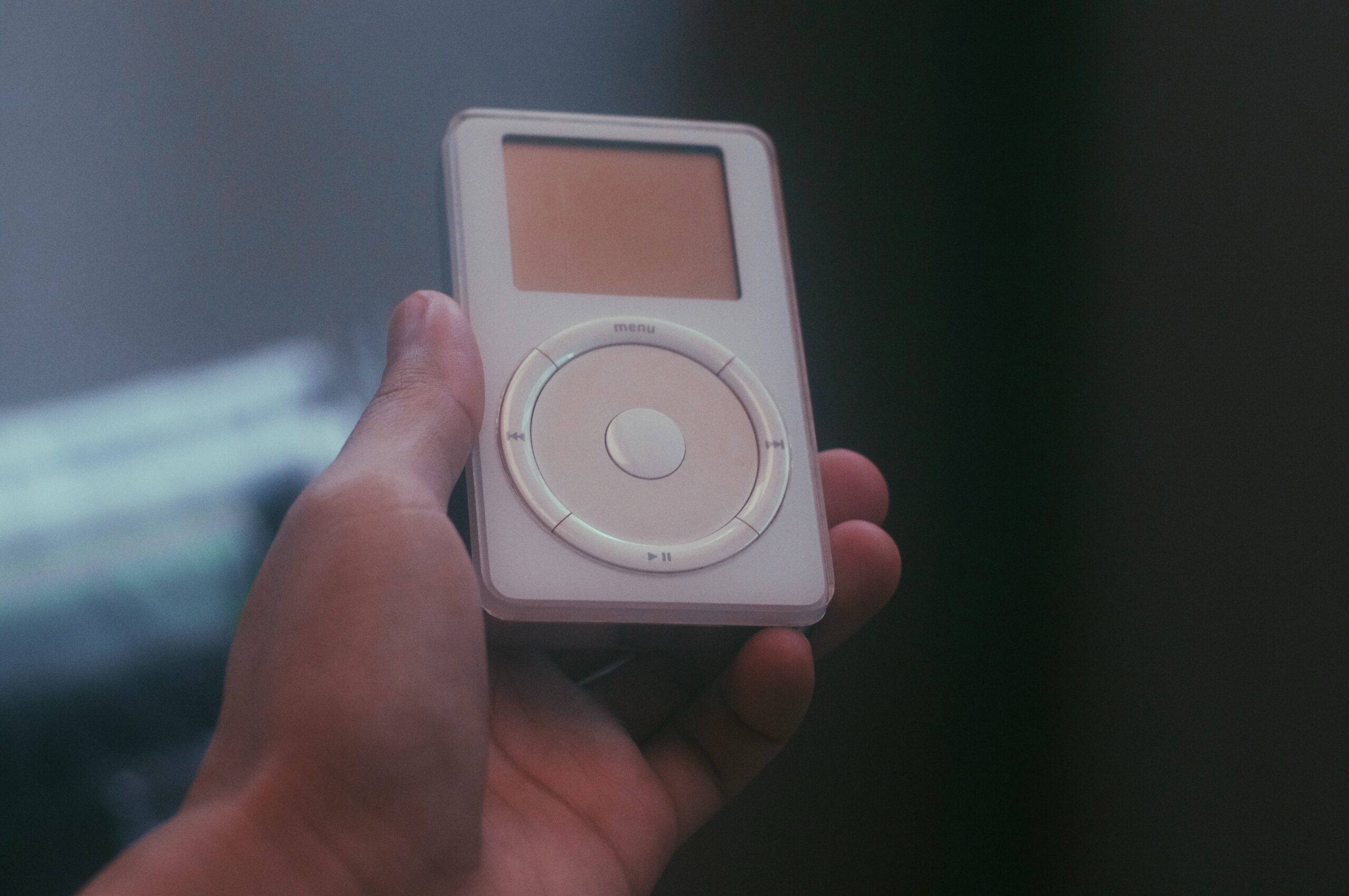
    Way back in October 2001, Apple’s big boss, Steve Jobs, pulled a rabbit out of his tech hat – the very first iPod. Forget clunky MP3 players; this sleek, shiny device had that cool scroll wheel, making it dead simple to flip through your music. It could store about 1,000 songs on its 5 GB hard drive – a true game-changer for music lovers on the go.

    iTunes Joins the Party (2003)

    In 2003, Apple unleashed iTunes, a digital media player and music management tool. And what did they do? They made iTunes buddies with the iPod, giving us the power to shop and download music right to our devices. Suddenly, getting your favorite tunes became a breeze, and the iPod and iTunes became besties for life.

    The Mini and Nano (2004-2005)

    Apple decided to miniaturize the magic. First came the iPod Mini in 2004, a cute and compact version in a rainbow of colors. It had a 4 GB hard drive and looked good while rocking out. Then, in 2005, the iPod Nano hit the scene. It was small, slim, and stylish, boasting a vibrant display – a true fashion statement for your music.

    The iPod Touch (2007)

    Fast forward to 2007, and the iPod Touch emerged as a breath of fresh air. It wasn’t just for music; it was like an iPhone without the calls. With a touch screen, internet access, and the App Store, it opened up a world of possibilities – a real multitasking marvel.

    The Classic and Shuffle (2007)

    Some of us couldn’t let go of the classic iPod design, and Apple understood that. They introduced the iPod Classic in 2007, an updated version of the original with more storage choices. Meanwhile, the iPod Shuffle kept it old-school with no fancy screen – just pure music in shuffle mode.

    The Decline and Discontinuation (2014)

    Times change, and so do our gadgets. With smartphones taking over, the iPod’s star began to fade. In 2014, Apple said goodbye to the iPod Classic, signaling the end of an era. The classic iPod was on its way out, and the smartphone was the new sheriff in town.

    Legacy and Conclusion

    Although the classic iPod might be ancient history, its spirit lives on. It transformed how we groove to our favorite tunes, ushering in the digital music revolution. It made us swap CDs for MP3s and streaming services, and it rocked our world with a pocket-sized music library.

    So, while you won’t see many people carrying around a classic iPod these days, its impact is still reverberating through our lives. It was a music icon that paved the way for our modern music streaming era, and it deserves a place of honor in the Music Hall of Fame. 🎵✌️ 


    If you have an old iPod you would rather get rid of, please contact Tech Reboot today for a cash offer!


    Photo by Ruijia Wang on Unsplash

  • Why Taking Care of Your Smartphone Matters

    Why Taking Care of Your Smartphone Matters

    Before we begin, if you need cash now, get a free quote from Tech Reboot for your old phone. We offer cash for used devices. Now for the content…

    Smartphones have become our trusty sidekicks. They help us stay connected, get stuff done, and even keep us entertained during those long commutes. But here’s the kicker – we often don’t give our beloved gadgets the TLC they deserve. In this blog post, we’re going to chat about why giving your smartphone some regular love and attention is a must for all you smartphone aficionados out there.

    Keepin’ It Alive for Longer

    Like any piece of tech, smartphones have a shelf life. But guess what? You can stretch that life with some good old-fashioned maintenance. By looking after your device, you can push back that dreaded “time for a new phone” moment, which means saving both your hard-earned cash and Mother Earth. What kind of maintenance, you ask? Stuff like keeping the screen clean, updating your software, and swapping out those tired batteries.

    Smooth Sailing All the Way

    Over time, smartphones collect all sorts of digital junk – cached data, temporary files, and sneaky background apps that hog resources. This can slow your phone down, drain the battery, and just make everything feel sluggish. But don’t fret – regular maintenance can save the day. Clearing out that digital clutter, closing apps you don’t need, and giving your phone a little tune-up can keep it running like a champ.

    Locking It Down

    Your smartphone isn’t just a fancy gadget; it’s a treasure trove of your personal info. From emails to banking apps, your life’s in there! Security is key, and that means staying on top of updates.

    Manufacturers release updates to keep the bad guys out and your data safe. Skipping these updates is like leaving your front door wide open for digital burglars – not cool!

    Back It Up, Baby!

    Losing precious data on your smartphone is a nightmare. Photos, contacts, messages – all gone in a flash. But here’s the deal: regular backups are your safety net. Back up your data to the cloud or an external storage buddy. That way, even if your phone takes a nosedive, your cherished info stays safe and sound.

    Looking Good, Feelin’ Good

    A well-kept smartphone isn’t just about performance; it’s also about looks. A clean screen, a scratch-free case – it’s like giving your phone a mini-spa day. Using protective cases and screen shields is like dressing it in armor, keeping it stylish and safe.

    Saving Your Hard-Earned Bucks

    Ignoring smartphone maintenance can cost you a pretty penny. Repairs or a new phone can be a wallet-buster. Instead, invest a bit of time and effort in regular upkeep. It’s like insurance for your tech happiness – prevent problems before they pop up.

    Eco-Friendly Vibes

    Did you know that smartphone manufacturing and disposal take a toll on our planet? By keeping your device in top shape through regular maintenance, you’re helping reduce electronic waste. It’s a small effort, but it adds up to a greener world for all of us.

    In a nutshell, your smartphone isn’t just a gadget; it’s your trusty sidekick in the modern world. Regular maintenance isn’t a chore; it’s an act of love for your device. It’ll keep your phone humming along smoothly, your data safe, and your wallet happy. So, don’t wait until your smartphone starts acting funky or showing its age. Show it some love regularly, and you’ll enjoy a smoother, safer, and longer-lasting smartphone experience. Cheers to tech-savvy you!

    Photo by Rodion Kutsaiev on Unsplash

  • Tech Reboot: Transform Your Old iPad into Cash Today!

    Tech Reboot: Transform Your Old iPad into Cash Today!

    Are you tired of your old iPad collecting dust? Unsure what to do with it when it’s time to upgrade? Look no further than Tech Reboot! Sell your used iPads hassle-free and turn them into fast cash. Let’s explore the benefits of Tech Reboot, declutter your space, and put money back in your pocket!

    1. Trustworthiness and Reliability: Tech Reboot is a trusted platform offering fair prices. We prioritize transparency and convenience for a positive selling experience.
    2. Hassle-free Selling: No more classified ads or negotiations! Visit our website, provide iPad details, and get an instant quote. It’s quick, intuitive, and saves time and effort.
    3. Competitive Prices: We offer competitive quotes based on thorough evaluations of your iPad’s condition, age, and model. Maximize your return when upgrading.
    4. Secure Data Erasure: Tech Reboot guarantees complete removal of personal data before reselling. Your privacy is our priority, ensuring peace of mind.
    5. Sustainable Choice: By selling to Tech Reboot, you contribute to reducing electronic waste. We recycle and refurbish devices and components whenever possible, extending their lifespan and conserving resources.
    6. Convenient Payment Options: Once you accept our offer, enjoy a quick and secure payment process. Choose from various options like Venmo or PayPal.

    Don’t let your old iPad sit unused! Experience the benefits of Tech Reboot. Visit our website today and give your iPad a tech reboot while earning cash. Trust, convenience, competitive prices, secure data erasure, sustainability, and convenient payments await you at Tech Reboot!

  • Why You Should Buy a Secondhand Smartphone

    Why You Should Buy a Secondhand Smartphone

    Purchasing a secondhand smartphone is one of the best decisions you can make if you are a tech-savvy but frugal person. The latest flagship smartphone with all the greatest features is nice to have, but one can easily cost you $1,000. 

    If you are looking for a smartphone but aren’t willing to spend so much money, Tech Reboot is the place to go! Tech Reboot is a certified refurbished smart device store that sells lightly-used pre-owned devices as well as recycles old smart devices.

    A secondhand smartphone is an excellent investment for many reasons, so read on to find out more! 

    You Save Money 

    The best reason to buy a secondhand smartphone is that you save a significant amount of money. 

    For example, a black 128GB iPhone XR will cost you $549 when purchased on the original site. If you buy the same phone from Tech Reboot, it will only cost you $380, a $169 difference. 

    With the extra money left over, you can invest in high-quality protective accessories for your phone. 

    You Only Care About Certain Specs 

    The most prioritized components of a smartphone are the text and call capabilities, but more than often these days, the camera. 

    If you are on the market for a phone with a fantastic camera to capture all of life’s important moments, there is no need to spend a ridiculous amount of money on a flagship. Rather than buy a device with too many features to keep up with, search for a phone that has your top factors.

    Many times, you can find a lightly-used or refurbished phone with great camera quality for a fraction of the price of the original. 

    You Help Your Environment 

    A pre-owned phone not only benefits you but the planet as well. Every time you buy a secondhand phone, you contribute to reducing e-waste, or electronic waste. 

    In a landfill, e-waste is any device that is no longer needed and is discarded. The problem is that many times e-waste isn’t properly disposed of. 

    Despite making up only 2 percent of the total trash in landfills in the USA, e-waste represents 70 percent of overall toxic waste.

    About 50 million tons of e-waste are produced each year on a global scale. 

    Thanks to Tech Reboot, you can have a global impact on this major problem.


    Your Tech Mistakes Are More Palatable 


    Everyone makes mistakes, and sometimes those mistakes result in a cracked touchscreen or water-damaged device


    You should purchase a lightly-used phone rather than a brand-new one if you are prone to damaging your device.


    While it may be sad to break your phone, breaking one that is affordable won’t bring as much guilt.


    Whatever the damage to your device, the technicians at iFixYouri, Tech Reboot’s sister company, will fix it as good as new! iFixYouri offers the most affordable prices on smart device repairs!

  • The Best Phones to Buy Your Mom for Mother’s Day

    The Best Phones  to Buy Your Mom for Mother’s Day

    Chocolates melt, roses wilt, and cheap jewelry causes rashes, so switch it up this Mother’s Day and get your mom a gift that will last for years: a smartphone. Here are five great smartphones you should consider getting your mom this Mother’s Day! 


    iPhone 8

    Released in September 2017, the iPhone 8 is the last of its kind because of its physical home button, which later models don’t have. If your mom can’t go without this feature and wants a high-functioning smartphone with great specs, the iPhone 8 is a perfect choice.


    Specs 

    • Compatible with iOS 14 

    • Comes in Silver, Space Grey, Gold, and Red 

    • Long-lasting battery life (up to 14 hours of talk time, 40 hours of music play)

    • Water-resistant (up to 1m for 30 minutes) 

    • 4.7-inch screen display

    • Face Detection, Finger Scan 

    • 4K video quality 

    • 1080 @30fps front camera video quality

    iPhone X 

    If mom wants to trade in the home button for a little more screen space but wants a slim and lightweight feel while having the same great (and even greater) specs as the iPhone 8, go with the iPhone X

    The iPhone X is the first model to feature a Super Retina HD and OLED Display! With such high quality, your mom can take the clearest photos to share in your family group chat! 


    Specs

    • Compatible with iOS 14

    • Space Grey or Silver finish 

    • 64GB or 256GB capacity 

    • Super Retina HD Display 

    • Splash, water, and dust resistant 

    • 12 MP wide-angle and telephoto cameras 

    • 4K video recording

    • FaceID, Finger Scan, and/or Passcode 

    • Long-lasting battery life 

    • Over 30 built-in apps and App Store 

    Huawei Honor 5X

    What has the feel and look of an expensive device, but is actually one of the most affordable smartphones on the market? The Huawei Honor 5X! If mom enjoys the simple things in life, she will surely enjoy this smartphone. 

    With its affordable price, lux look, and solid apps, mom can stay connected without worrying about other added features. 

    Specs 

    • affordable 

    • Unlocked 

    • 13 MP/ 5MP cameras 

    • Black, Gold, or White Metal finish

    • Dual SIM slots  

    • Loud Dual speakers 

    • Fingerprint scanner 

    • 5.5-inch screen display

    • Solid battery life

    • Google Play Store 

    For a limited time, Tech Reboot and iFixYouri are partnering together for one of the best smartphone deals yet: Buy a Huawei Honor 5X for only $39.99! Give your mom an amazing gift this Mother’s Day and save money while doing it.


    iPhone 12 Line 

    Spoil mom this Mother’s Day and get her the newest iPhone model on the market. The iPhone 12 comes at a great cost, but its amazing specs and the smile it will bring to your mom’s face makes it all worth it. 

    Specs

    • 64, 128, 256 GB capacity 

    • Black, White, Red, Green, Blue finish 

    • 6.1-inch all-screen OLED display 

    • Super Retina XDR Display 

    • Splash, water, and dust resistant 

    • Dual 12MP Camera System: Ultra Wide and Wide Cameras 

    • Smart HDR 3 

    • A14 Bionic Chip 

    • 4K video recording 24 fps, 25 fps, 30 fps, or 60 fps

    • TrueDepth Camera 

    • FaceID, Finger Scan, and/or Passcode 

    • Long battery life 

    • Siri 

    • Apple Pay 

    • MagSafe 

    • Built-In and Free Apps 

    The iPhone 12 is actually just one of the four models in Apple’s latest line. The others are the iPhone 12 Mini, iPhone 12 Pro, and iPhone 12 Pro Max. Features and specs improve with each upgraded model, but every model is of great quality and makes for the perfect gift. 

    The iPhone 12 Mini has most of the same features as the iPhone 12. The biggest difference between the two phones is the display size. The iPhone 12 has a 6.1-inch display, whereas the Mini has a 5.4-inch display. 

    iPhone 12 Pro and Pro Max Specs

    • 128, 256, 512 GB capacity 

    • Silver, Graphite, Gold, Pacific Blue finish 

    • 6.1-inch (12 Pro) and 6.7-inch (Pro Max) Super Retina XDR display

    • Splash, water, and dust resistant

    • A14 Bionic Chip 

    • Pro 12MP camera system: Ultra Wide, Wide, and Telephoto cameras

    • 4K video recording 

    • Face ID 

    • Siri

    • Built-in and Free apps 

    Samsung Galaxy Z Flip 

    If mom just can’t seem to let go of her flip phone from the early 2000s but wants the performance of a smartphone, help her make a smooth transition with the Samsung Galaxy Z Flip. This phone’s bendable glass screen allows you to fold it in half as if you are shutting a flip phone.

    Specs

    • 6.7-inch folding Full HD+ Infinity Flex Glass display

    • Mirror Purple, Mirror Black, Mirror Gold finish 

    • Dual camera with 12MP main, 12MP wide-angle, 10MP selfie camera 

    • 8GB of RAM, 256GB of non-expandable storage

    • Long-lasting battery life 

    If you don’t want to go this route but still want to gift your mom something nice for her special day, sell your old, broken, and unused devices for the most money back guaranteed!