Blog

  • The Crucial Importance of Regular Device Software Updates for Performance

    The Crucial Importance of Regular Device Software Updates for Performance

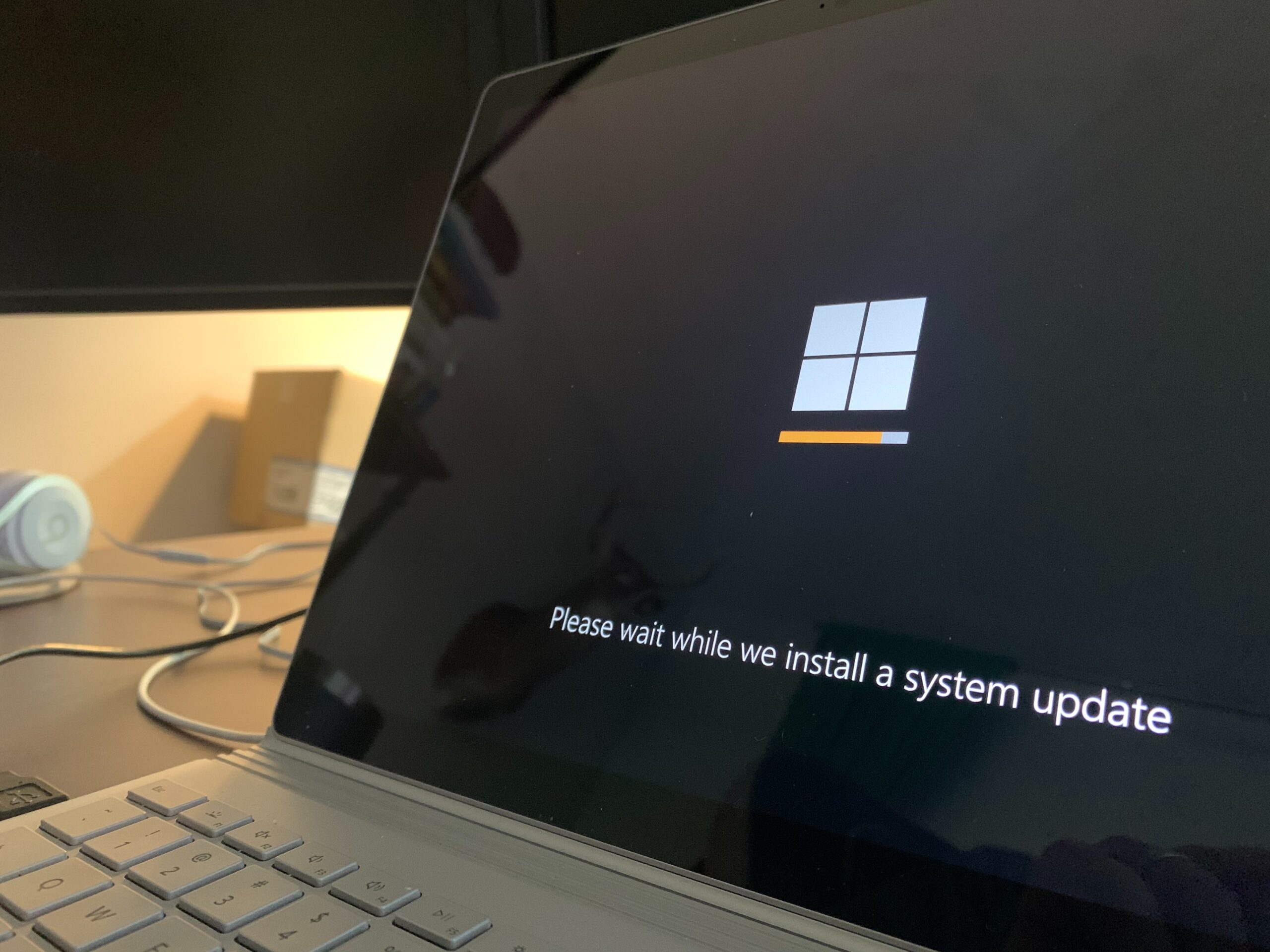
    In this fast-paced technological era, electronic devices have become indispensable parts of our daily lives, including smartphones, computers, tablets, and smart home appliances. To ensure these devices continue to operate at their best, regular software updates play a pivotal role. This blog post delves into the reasons why consistent software updates are crucial for device performance.

    Enhancing Security

    First and foremost, prioritizing software updates is vital for improving device security as cybercriminals constantly evolve their tactics. They continuously search for vulnerabilities to gain unauthorized access to devices and personal data. However, software developers are equally proactive, working tirelessly to patch these security loopholes. By applying regular updates, you can rest assured that your device is equipped with the latest security protocols, thus protecting you from potential threats.

    Fixing Bugs and Optimizing Performance

    No software is perfect, and even well-designed applications may have bugs or performance issues. Consequently, software updates address these flaws, providing essential bug fixes and performance enhancements that significantly improve the overall stability and speed of your device. By keeping your device’s software up to date, you can enjoy a smoother and more reliable user experience.

    Compatibility with New Features

    As technology advances, developers introduce innovative features that enhance the functionality and user experience of your devices. However, it is important to note that these new features may require the latest software version to run efficiently. By staying current with software updates, you can take full advantage of these new functionalities and experience the latest improvements offered by your device.

    Extending Device Lifespan

    Another compelling reason to prioritize regular software updates is their potential to prolong the lifespan of your device. As software evolves, developers optimize it for improved resource management and efficiency. This optimization significantly reduces unnecessary strain on your device’s hardware components. Consequently, the longevity of your device is extended, saving you from the need to replace it prematurely.

    App Compatibility and Support

    Furthermore, as operating systems and software continue to evolve, older versions may become incompatible with the latest applications and services. Consequently, regular updates ensure that your device remains compatible with new apps and services, enabling you to access the latest developments in the digital world. Staying up to date also enables you to receive better customer support and assistance from developers in case you encounter issues.

    Maintaining the optimal performance of your devices requires regular software updates. From ensuring robust security measures to improving overall functionality and compatibility, updating your device’s software is a vital aspect of responsible device ownership. Neglecting software updates can leave your device vulnerable to security breaches, reduce its performance, and limit access to new features and services.

    Make it a habit to check for software updates regularly or enable automatic updates if possible. By doing so, you not only protect your device and data but also maximize its potential, ultimately enhancing your overall digital experience. Embrace the power of regular software updates and witness the positive impact they have on your device’s performance and longevity.

  • How to Make Your Tablet Last: Tips for Longevity and Optimal Performance

    How to Make Your Tablet Last: Tips for Longevity and Optimal Performance

    Tablets have become an integral part of our daily lives, bridging the gap between smartphones and laptops. They are portable, versatile, and offer a wealth of features. However, like any electronic device, tablets have a limited lifespan. 
    To maximize your investment and ensure your tablet lasts as long as possible, it’s crucial to implement some effective maintenance practices. In this blog post, we will explore some essential tips to help you extend the life of your tablet and maintain optimal performance throughout its lifespan.

    Invest in a Quality Case and Screen Protector

    One of the best ways to safeguard your tablet from accidental drops, scratches, and other potential damage is to invest in a high-quality case and a screen protector. These protective accessories serve as a shield against daily wear and tear, preventing physical damage that could lead to internal issues. With a reliable case and screen protector, you can significantly increase the longevity of your tablet.

    Regularly Update Software and Apps

    Manufacturers often release software updates to enhance device performance, security, and fix bugs. Keep your tablet’s operating system up to date to ensure it stays optimized and functions smoothly. Additionally, regularly update the apps you use from the official app stores to maintain compatibility and avoid performance issues caused by outdated software.

    Manage Storage and Use Cloud Backup

    Overloading your tablet with unnecessary files and applications can slow it down and reduce its lifespan. Regularly clean up your storage by removing redundant files, uninstalling unused apps, and transferring media to cloud storage or external devices. Cloud backup services not only free up storage space but also protect your data in case of hardware failures.

    Monitor Battery Health

    The battery is a crucial component that determines how long your tablet can function on a single charge. To preserve battery health, avoid letting it completely drain frequently and avoid overcharging. Lithium-ion batteries, which are common in tablets, perform best when kept between 20% and 80% charge levels. Consider turning off unnecessary features like location services and push notifications to conserve battery life. iFixYouri performs free battery tests that will let you know how much life is left in your tablet.

    Maintain a Suitable Operating Environment

    Extreme temperatures can negatively impact your tablet’s performance and battery life. Avoid exposing it to direct sunlight, extreme heat, or cold for extended periods. Optimal operating temperatures are typically between 0°C and 35°C (32°F – 95°F). Additionally, keep the tablet away from humid environments and moisture-prone areas to prevent water damage.

    Perform Regular System Cleanups

    As you use your tablet, temporary files, cache, and other digital clutter accumulate. Performing regular system cleanups can help improve overall performance. Clear browser cache, delete temporary files, and use storage-cleaning tools available on your tablet’s operating system.

    Be Cautious with Software Installations

    When downloading and installing new software, be cautious about its source and legitimacy. Unofficial or pirated software might contain malware or viruses that can harm your tablet’s performance and security. Stick to trusted app stores and official websites for software installations.
    By following these essential tips, you can make your tablet last longer, ensuring optimal performance and enjoyment for years to come. Invest in protective accessories, keep the software updated, manage storage, monitor battery health, maintain an appropriate operating environment, perform regular cleanups, and be cautious with software installations. 
    Eventually every tablet has its day. If you are looking to get rid of your tablet, you can always get a free cash value quote from Tech Reboot. However, by taking good care of your tablet, you can extend its lifespan and get the most out of your investment. Happy tablet use!
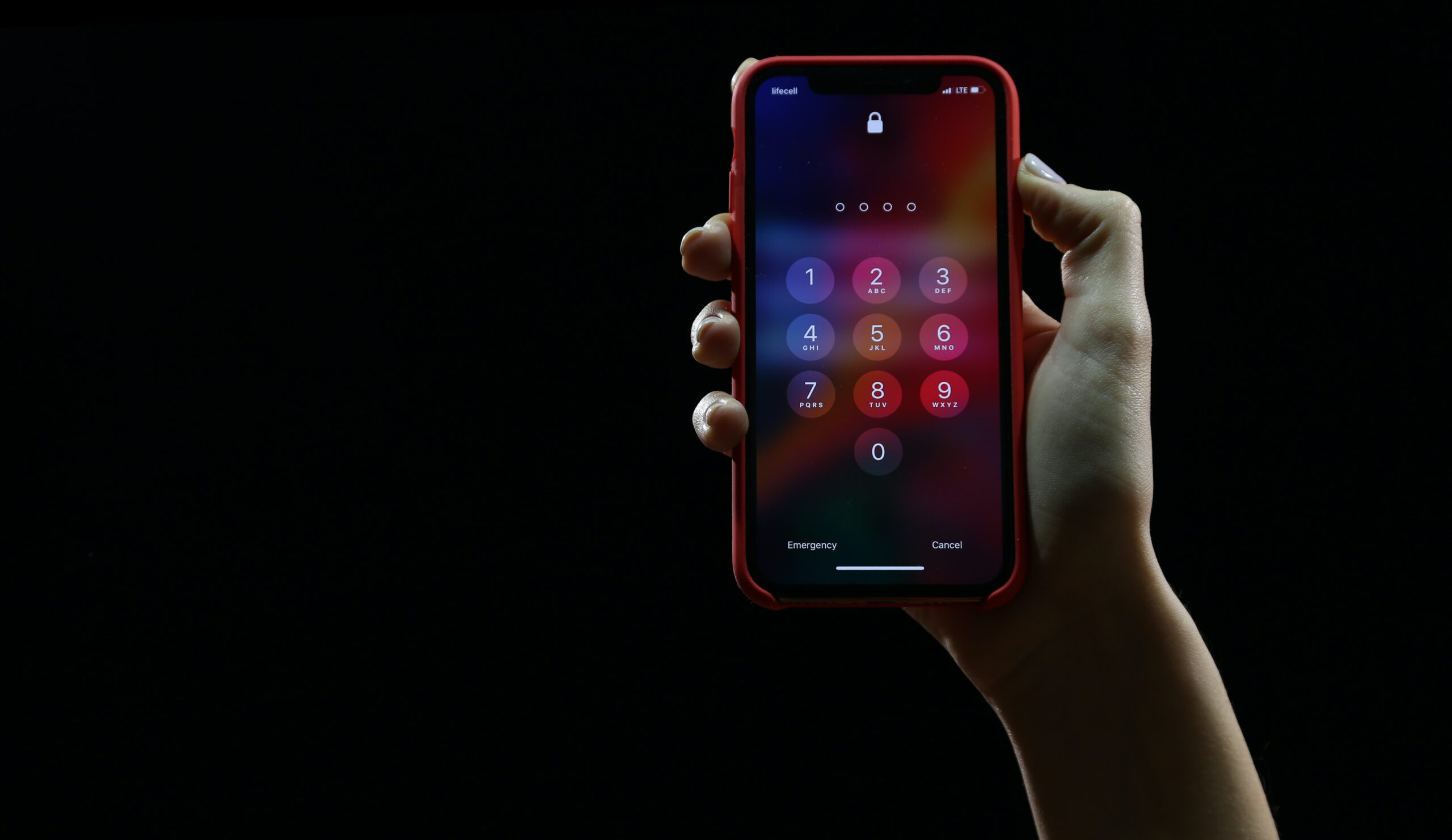
  • Easy Smartphone Security Tips You Shouldn’t Ignore

    Easy Smartphone Security Tips You Shouldn't Ignore

    Our smartphones have become like extensions of ourselves, helping us stay connected, shop, and keep important information at our fingertips. But in this digital age, we need to pay attention to the security of our beloved devices. Sneaky cybercriminals are always looking for ways to sneak into our smartphones and wreak havoc. So, let’s dive into some super simple security measures that can keep your smartphone safe and sound.

    1. Keep Your Phone Updated: Alright, I get it, updates can be a bit of a pain. But trust me, they’re worth it! Whenever your smartphone asks for an update, make sure you go for it. Those updates often include bug fixes and security patches to keep the bad guys at bay. So, don’t procrastinate—just hit that update button!
    2. Make Your Passwords Strong: Let’s talk about passwords, my friend. We’ve all heard it before, but it’s worth repeating: avoid using easy-to-guess passwords like “password123.” Instead, be a bit creative and mix it up with a combination of letters, numbers, and symbols. And hey, if you find it hard to remember all those passwords, consider using a password manager app. It’ll make your life way easier.
    3. Double Up with Two-Factor Authentication: Two-Factor Authentication may sound fancy, but it’s actually a superhero when it comes to securing your phone. Basically, it adds an extra layer of protection by asking for a code or confirmation in addition to your password. So, go ahead and enable this feature, especially for your important accounts. Trust me, it’s like putting a lock on a lock!
    4. Keep an Eye on App Permissions: You know those pesky app permission requests that pop up when you install new apps? Take a minute to read them. Sometimes apps ask for access to your contacts, photos, or other stuff they don’t really need. Be skeptical and only grant the permissions that make sense. Don’t let them snoop around more than necessary!
    5. Get Some Backup Love: Imagine this: your phone gets lost or stolen, or maybe it takes an unexpected dip in the pool. Poof! All your precious data is gone. To avoid this heartbreak, back up your phone regularly. Use a cloud storage service or an external drive to keep a copy of your important stuff. That way, even if disaster strikes, you can restore your phone like it’s no biggie.
    6. Be Wary of Public Wi-Fi: Public Wi-Fi can be a real lifesaver when you’re out and about, but it’s also a favorite hunting ground for cyber baddies. When connected to public Wi-Fi, avoid doing sensitive things like checking your bank account or sharing personal info. And if you really need to do those things, consider using a VPN to encrypt your data and keep it safe from prying eyes.
    7. Don’t Fall for Tricky Links and Downloads: Ah, the world of clickable links and tempting downloads. Be cautious, my friend! If you receive suspicious links in emails, texts, or social media messages, think twice before clicking. Those sneaky cybercriminals may try to trick you into giving up your personal info. Stick to trusted sources when downloading apps and files, and watch out for red flags.

    Conclusion: Your smartphone is your trusty sidekick, so it’s vital to keep it safe from cyber mischief-makers. Just remember to keep your phone updated, use strong passwords, enable two-factor authentication, and be careful with permissions, public Wi-Fi, and sketchy links. These simple steps will go a long way in safeguarding your precious device and keeping your digital life secure. Stay savvy, my friend, and keep that smartphone locked down!


    Photo by Yura Fresh on Unsplash

  • The Essential Guide to Smartphone Condition Grading: What You Need to Know

    The Essential Guide to Smartphone Condition Grading: What You Need to Know

    In today’s tech-driven world, smartphones have become an integral part of our lives. Whether it’s staying connected with loved ones, accessing information on the go, or capturing precious memories, these devices have revolutionized the way we live. However, when buying or selling a used smartphone, it’s crucial to understand its condition accurately. This is where smartphone condition grading comes into play. In this blog post, we will explore the concept of smartphone condition grading, its importance, and the different grading criteria commonly used in the market.

    Why is Smartphone Condition Grading Important?

    Smartphone condition grading serves as a standardized system to evaluate and communicate the overall condition of a used device. Whether you’re a buyer looking for a reliable purchase or a seller trying to determine a fair price, understanding the condition grading helps establish trust and transparency in the marketplace. By accurately assessing a smartphone’s condition, buyers can make informed decisions, and sellers can set appropriate pricing, ensuring a fair transaction for both parties.

    Tech Reboot Smartphone Condition Grading Criteria:


    Grade A: Excellent


    For a device to be in this condition, the following must also be true:

    • Zero scratches, scuffs, or other marks.
    • Looks new.
    • The display is free of defects such as dead pixels, white spots, or burn-in.
    • Original battery above 80% capacity.
    • Shows no signs of liquid intrusion or damage.
    • Powers on and functions 100% as intended.

    Grade B: Good

    For a device to be in this condition. The following must also be true:

    1. Normal signs of use to housing.
    2. No major scratches or dents.
    3. Glass is free of any cracks or chips.
    4. The display is free of defects such as dead pixels, white spots, or burn-in.
    5. Original battery above 80% capacity.
    6. Shows no signs of liquid intrusion or damage.
    7. Powers on and functions 100% as intended. 

    Grade C: Fair


    For a device to be in this condition. The following must also be true:

    1. Glass is free of any cracks or chips.
    2. Moderate signs of use. No major dents.
    3. Display is free of defects such as dead pixels, white spots, or burn-in.
    4. Original battery above 80% capacity.
    5. Shows no signs of liquid intrusion or damage.
    6. Powers on and functions 100% as intended. 

    Grade D: Broken


    Your device is in this condition if ANY of the following are true:

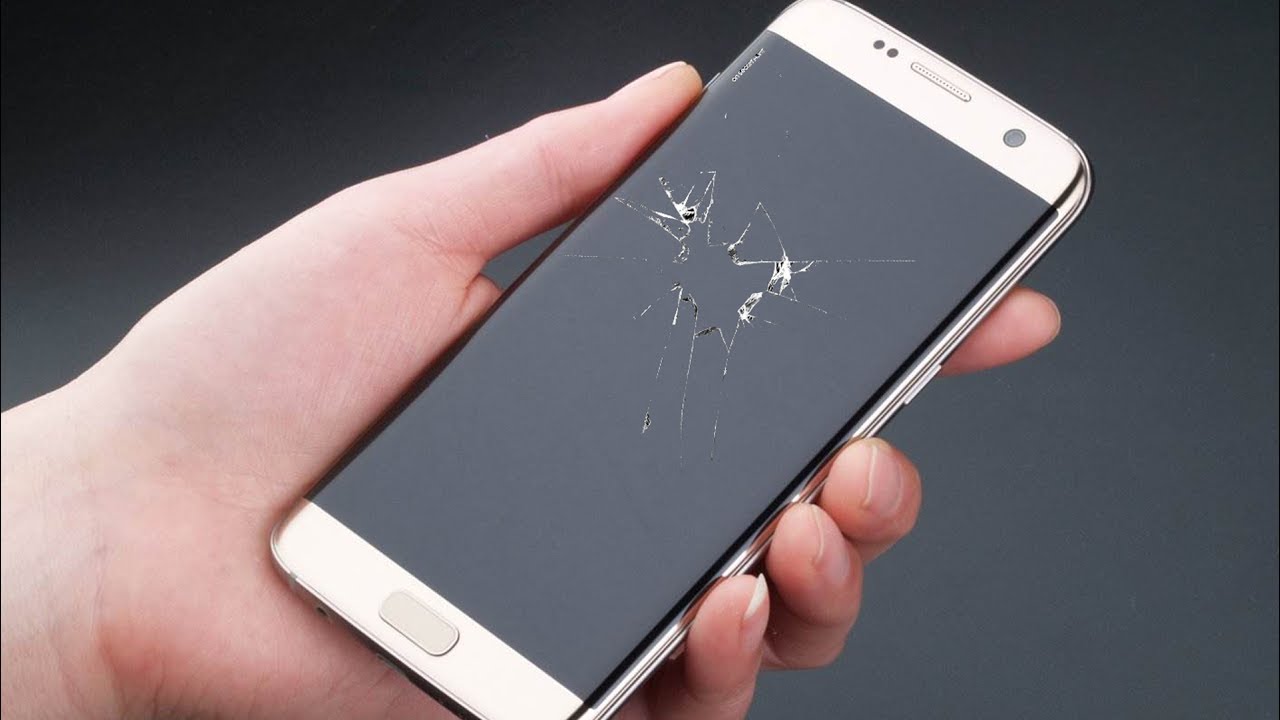
    1. Cracked Glass and or LCD display
    2. Damaged housing – bent, dent, deep scratching.
    3. Display defects such as dead pixels, white spots, or burn-in.
    4. Shows no signs of liquid intrusion or damage. 

    No Power


    The device does not power on or has unrepairable logic board issues.

    Smartphone condition grading is a crucial aspect of buying and selling used devices. By understanding the various grading criteria, buyers can make informed decisions and sellers can ensure fair pricing. Remember to assess the physical condition, functionality, and the inclusion of accessories when determining the overall grade of a smartphone. 

    This standardized grading system fosters trust and transparency in the marketplace, creating a win-win situation for all parties involved. So, the next time you consider purchasing or selling a used smartphone, be sure to consider the condition grading to make the b

  • Tech Reboot: Transform Your Old iPad into Cash Today!

    Tech Reboot: Transform Your Old iPad into Cash Today!

    Are you tired of your old iPad collecting dust? Unsure what to do with it when it’s time to upgrade? Look no further than Tech Reboot! Sell your used iPads hassle-free and turn them into fast cash. Let’s explore the benefits of Tech Reboot, declutter your space, and put money back in your pocket!

    1. Trustworthiness and Reliability: Tech Reboot is a trusted platform offering fair prices. We prioritize transparency and convenience for a positive selling experience.
    2. Hassle-free Selling: No more classified ads or negotiations! Visit our website, provide iPad details, and get an instant quote. It’s quick, intuitive, and saves time and effort.
    3. Competitive Prices: We offer competitive quotes based on thorough evaluations of your iPad’s condition, age, and model. Maximize your return when upgrading.
    4. Secure Data Erasure: Tech Reboot guarantees complete removal of personal data before reselling. Your privacy is our priority, ensuring peace of mind.
    5. Sustainable Choice: By selling to Tech Reboot, you contribute to reducing electronic waste. We recycle and refurbish devices and components whenever possible, extending their lifespan and conserving resources.
    6. Convenient Payment Options: Once you accept our offer, enjoy a quick and secure payment process. Choose from various options like Venmo or PayPal.

    Don’t let your old iPad sit unused! Experience the benefits of Tech Reboot. Visit our website today and give your iPad a tech reboot while earning cash. Trust, convenience, competitive prices, secure data erasure, sustainability, and convenient payments await you at Tech Reboot!

  • Smartphone Recycling and Reuse: Let’s Get Sustainable!

    Smartphone Recycling and Reuse: Let's Get Sustainable!

    Hey there, smartphone lovers! We all know how important our phones are, but have you ever thought about what happens to them when we’re done? It’s time to dive into the world of recycling and reusing smartphone components and make a positive impact on the environment. In this blog post, we’ll explore the cool stuff you can recycle or reuse in your smartphones, and how we can responsibly dispose of them to create a greener future.

    Batteries

    Hold up, did you know you can recycle smartphone batteries? Yup, it’s true! They contain valuable metals like lithium, cobalt, and nickel. Recycling facilities can extract those metals and use them to make new batteries or other electronic gadgets. You may have already have seen battery collection points to make it super easy for you to dispose of our old batteries.

    Screens

    You know that beautiful screen on your phone? Well, guess what? You can recycle it too! Recycling programs like the one originating at Tech Reboot can lead to the recovery of cool things like indium, glass, and rare-earth elements. These materials can then be reused to make new displays or even solar panels. Talk about a win-win!

    Metals and Plastics

    Hold onto your hats because here’s some interesting news: you can recycle the metals and plastics in our smartphones too! Those tiny circuit boards and connectors have precious metals like gold, silver, and palladium. Recycling saves us from more mining and puts those metals back into action. And don’t forget about plastics! They can be recycled and transformed into new products, helping to reduce plastic waste.

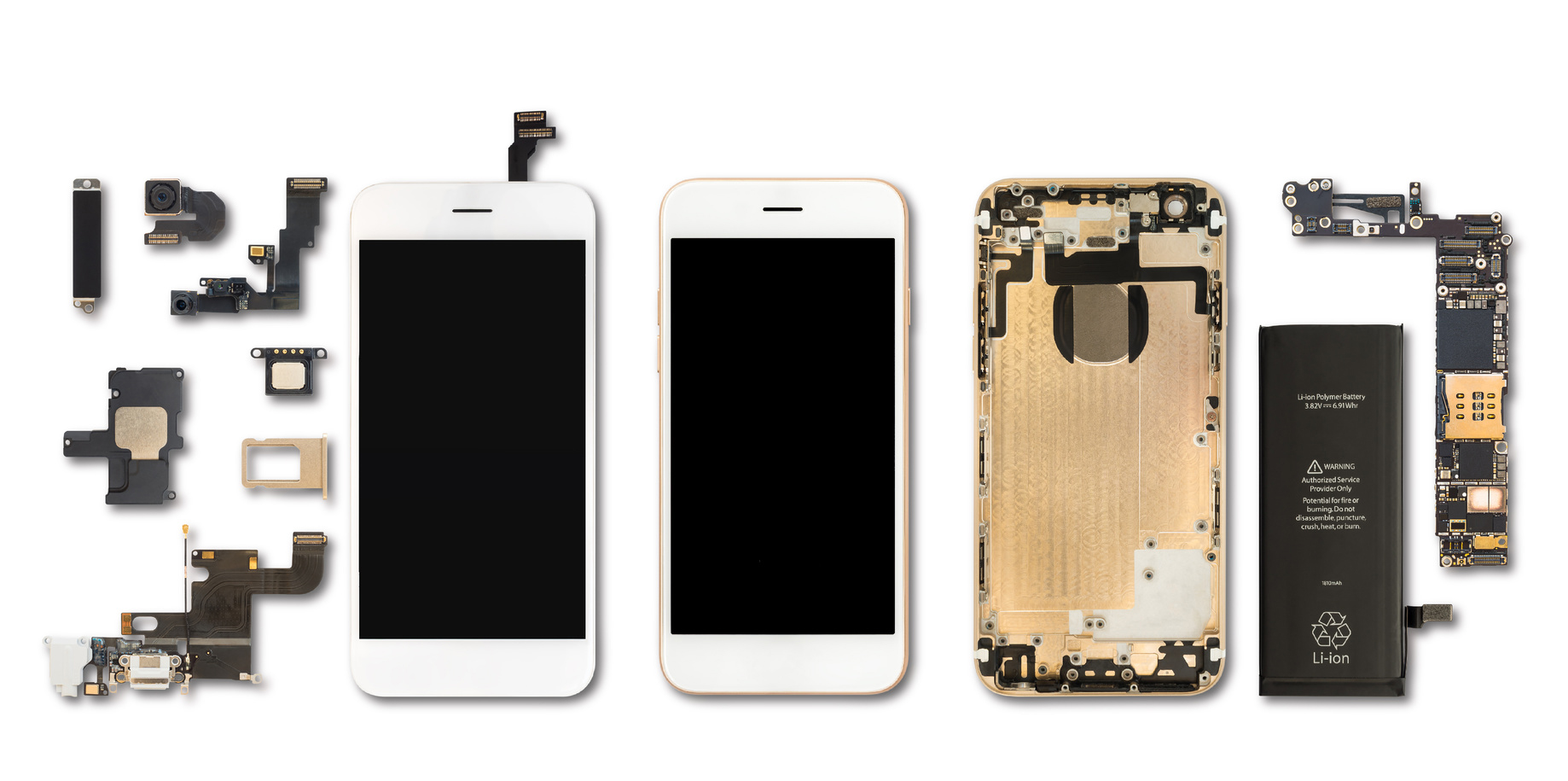
    Electronic Components

    It’s not just batteries and screens that can get a second chance at life. The electronic components inside our smartphones, like chips, processors, and connectors, can be extracted and reused. There are companies out there specializing in refurbishing these components like Tech Reboot. They fix them up and give them a new purpose, either extending the lifespan of other devices or selling them as replacement parts. Plus, it’s a great way to save some money too!

    Now that you know all about recycling and reusing smartphone components, let’s take action! We can make a real difference by responsibly disposing of our old phones and supporting recycling programs. Remember, it’s not just about the batteries and screens; it’s also about recycling metals, plastics, and giving electronic components a second chance. So, let’s embrace sustainability, reduce electronic waste, and contribute to a greener future. Together, we can rock the world while keeping it clean!

  • Selling Your Old Video Game System: Top Tips for Success

    Selling Your Old Video Game System: Top Tips for Success

    If you want to sell your old video game system and make some money, you need to know the best strategies to ensure a successful sale. In this blog post, we’ll explore the top tips for selling your old video game system, helping you get the best price, and finding a new home for your beloved console.

    Research the Market

    Before you start selling, research how much your video game system is worth. Tech Reboot has a free online value calculator to help you with this. This will give you an idea of the selling price for your console. Be as accurate as possible with the condition of your system, including any accessories or games that come with it, as these factors can affect the price.

    Clean and Restore Your Old Video Game System

    Clean your console to make it look its best. Remove any dust or dirt that may have accumulated over time. Use gentle cleaning solutions to bring back its shine, and consider replacing any worn-out cables or controllers. Presenting your console in good condition will help you achieve the best possible price.

    Choose the Right Selling Platform

    You can sell your used video game system on various online platforms. Compare different platforms and choose the one that suits your needs best. Each platform has its own fees and audience, so pick the one that matches your goals. Tech Reboot offers fast, fair payments in the payment method of your choosing.

    Secure Packaging and Shipping

    Package your console securely for shipping. Use suitable packaging materials such as bubble wrap, packing peanuts, or sturdy boxes to protect your system during transit. Take photos of the packaging process to document its condition before shipping. Tech Reboot uses a reliable shipping method with tracking to ensure the safe delivery of your console.

    Selling your old video game system can be a rewarding experience if you follow these tips. Tech Reboot tries to make the process as lucrative and easy as possible, so get a price quote for your system today.
  • Selling Your Smartphone: What You Need to Know

    Selling Your Smartphone: What You Need to Know

    Selling your old smartphone can be a fantastic way to make extra money and
    upgrade to a newer model. However, the process can seem overwhelming if you’re
    unsure of where to begin. To help you navigate this task more easily, here are
    some tips to maximize your old smartphone’s selling potential.

    Get Your Phone Repaired

    Firstly, ensure that your phone is in the best possible condition. Give it a
    thorough cleaning and address any necessary repairs. Functioning phones always
    have more value than broken ones. If there are cracks on the screen or damages
    to the body, consider getting them fixed beforehand. This will not only
    increase your chances of getting a higher price but also make your phone more
    appealing to potential buyers.

    Next, consider the best method to sell your phone. Several options are
    available, such as online marketplaces, classified websites, and phone
    trade-in programs. Each option has its advantages and disadvantages, so it’s
    important to research and select the one that suits you best.

    Online Marketplaces

    Online marketplaces like eBay and Amazon in theory can help you reach a wide
    audience, increasing the likelihood of finding interested buyers. However, new
    accounts with no selling history rarely get priority placement in search
    results, meaning few people may end up seeing your post. Keep in mind that
    you’ll need to handle shipping and payments, which can be time-consuming.

    Classified Websites

    Classified websites like Craigslist and Letgo are another option, particularly
    if you prefer local selling. With these platforms, you can avoid shipping and
    focus on selling to people in your area. Nevertheless, we’ve all heard the
    weird meetup stories that even become dangerous in some circumstances.
    Exercise caution when dealing with potential buyers as these sites are known
    for scams and fraud.

    Carrier Trade-in

    Phone trade-in programs offered by carriers and retailers are convenient
    options. They allow you to trade in your old phone for a discount on a new
    one. Keep in mind that these programs may not offer the highest prices for
    your phone, so it’s advisable to compare offers from different trade-in
    programs before committing.

    Tech Reboot Device Buyback

    Lastly, a buyback website like Tech Reboot can be a great option for
    hassle-free selling, secure & safe payout, and fair market value. Tech Reboot
    has an easy-to-use price quote calculator, so you have a great ballpark amount for your
    used device’s worth.

    It is always a smart practice to prepare your phone for sale. This involves
    wiping all personal data and restoring the device to its factory settings. By
    doing so, you protect your privacy and ensure that the phone is ready for its
    new owner. Account locks such as iCloud or Google accounts must be removed
    before shipping. Additionally, remember to include all original accessories,
    such as the charger and earphones, when selling the phone.

    Selling your old smartphone is an excellent way to generate extra income and
    upgrade to a newer model. By following these tips, you can enhance your
    chances of finding buyers and obtaining the best possible price for your
    phone. Remember to invest time and effort into the process, and you’ll be well
    on your way to a successful sale.

  • The Role of Mobile Device Buyback and Recycling Programs

    The Role of Mobile Device Buyback and Recycling Programs

    In a world where technology advances at an exponential rate, our mobile
    devices such as smartphones, tablets, and e-readers become obsolete faster
    than ever. In our quest for the latest features and superior performance, we
    often overlook the environmental implications of discarding these devices. The
    majority of them unfortunately end up in landfills, contributing to the
    escalating problem of electronic waste or e-waste. But there’s a sustainable
    alternative – recycling. This post takes an in-depth look into how recycling
    your old mobile devices can contribute to a healthier and more sustainable
    planet.

    Understanding E-Waste

    Electronic waste, or e-waste, is a term that encompasses discarded electronic
    devices, components, and accessories. This includes everything from obsolete
    refrigerators and televisions to outmoded mobile phones and tablets. The
    Global E-waste Statistics Partnership reported that humanity generated an
    alarming 53.6 million metric tons of e-waste in 2019 alone. The figure is
    expected to rise as our reliance on technology deepens.

    Mobile devices, due to their short lifespan and our societal dependence on
    them, constitute a substantial part of this waste. With the regular launch of
    upgraded models, devices are often discarded in favor of their newer
    counterparts. This cycle of consumption and disposal contributes to the
    mounting e-waste problem.

    The predicament with e-waste lies in its detrimental environmental impact.
    Electronic devices often contain hazardous materials like lead, mercury, and
    cadmium. When improperly disposed of, these toxic substances can leach into
    the soil and water, causing significant harm to ecosystems and posing health
    risks to humans and wildlife.

    Moreover, e-waste embodies a missed opportunity for resource recovery.
    Discarded devices are a rich source of valuable materials, including gold,
    silver, copper, and rare earth metals. Through recycling, these elements could
    be recovered and reused, thus preserving natural resources and reducing the
    need for environmentally damaging mining practices.

    The Eco-friendly Choice: Mobile Device Recycling

    Recycling your mobile devices has several significant benefits that contribute
    to environmental sustainability. Here’s a closer look:

    1. Resource Conservation: Mobile devices are made up of a complex mix of
      metals, plastics, and other materials. Through the process of recycling,
      these materials are recovered and reused to produce new products. This
      practice reduces the demand for fresh raw materials, and in turn, reduces
      the energy and environmental costs associated with mining and refining
      operations.
    2. Energy Efficiency: The energy required to extract materials from recycled
      devices is substantially less than the energy consumed in mining and
      refining raw materials. The U.S. Environmental Protection Agency estimates
      that recycling a mere one million cell phones can save enough energy to
      power over 185 U.S. households for an entire year.
    3. Mitigating Climate Change: The conservation of energy through recycling
      directly contributes to the reduction of greenhouse gas emissions. These
      gases trap heat in the atmosphere and are the leading cause of global
      warming and climate change. By lowering our energy consumption, we can
      mitigate our contribution to this global crisis.
    4. Pollution Prevention: As we discussed earlier, e-waste can contain harmful
      substances that pose environmental and health hazards. When disposed of in
      landfills, these toxins can seep into the soil, groundwater, and air,
      causing widespread pollution. Recycling provides a safe and effective way to
      manage e-waste, ensuring these harmful substances are appropriately handled
      and disposed of, thus preventing pollution.

    The Role of Mobile Device Buyback and Recycling Programs

    Mobile device buyback and recycling programs, such as those offered by Tech
    Reboot, are instrumental in reducing e-waste and promoting environmental
    sustainability. These programs simplify the process of recycling old devices.
    They assess the value of your device, offer you a monetary incentive for
    recycling it, and ensure that it is either responsibly recycled or refurbished
    and resold, thereby extending its life. Participating in these programs is an
    easy and rewarding way to do your part for the environment.

    The Importance of Consumer Participation

    While industry-wide changes are crucial, individual consumers play a
    significant role in promoting sustainable practices. By choosing to recycle
    old devices rather than discarding them, each one of us can contribute to
    reducing e-waste and its associated environmental impacts. Furthermore, by
    supporting companies that prioritize sustainability and participate in buyback
    and recycling programs, consumers can influence industry trends and encourage
    more responsible behavior.

    Conclusion: Recycling is a Win-Win

    The environmental benefits of mobile device recycling are clear. It conserves
    resources, saves energy, reduces pollution, and helps mitigate climate change.
    But recycling is not just good for the planet – it’s also good for consumers.
    Buyback programs offer financial incentives for trading in old devices, making
    it a win-win situation for both the environment and the consumer.

    In a world increasingly reliant on technology, it’s essential to find
    sustainable ways to manage the lifecycle of our devices. Through responsible
    recycling practices, we can enjoy the benefits of our mobile devices without
    compromising the health of our planet. So the next time you’re thinking about
    upgrading your smartphone, remember: don’t just replace, recycle!

  • The Smartphone Lifecycle: Understanding the Smartphone Buyback Process

    The Smartphone Lifecycle: Understanding the Smartphone Buyback Process

    Your smartphone is more than just a device. It’s a companion that goes
    everywhere with you, helping you stay connected with friends, family, and the
    world. But like all things, a smartphone has a lifecycle. Understanding this
    lifecycle can help you make informed decisions about when to upgrade, sell, or
    recycle your device. Plus, it can give you a new appreciation for the buyback
    process and its role in the smartphone lifecycle.

    Stage 1: The Birth of a Smartphone

    The lifecycle of a smartphone begins long before you ever see it in a store.
    It starts with the design process, where engineers and designers come up with
    the blueprints for the phone. They decide what features it will have, how big
    it will be, what kind of processor it will use, and more.

    Next comes manufacturing. This is where the phone is actually built. It
    involves many steps, from assembling the hardware to installing the software.
    Once the phone is built, it’s tested to make sure it works properly. Then it’s
    packaged up and shipped to stores around the world.

    Stage 2: Purchasing a Smartphone

    The next stage in the smartphone lifecycle is the purchase. This is when you,
    the customer, come into the picture. You might buy the phone from a store,
    online, or through your phone carrier. Either way, once you’ve made the
    purchase, the phone is yours to use and enjoy.

    Stage 3: Daily Smartphone Use

    Now comes the part of the smartphone lifecycle that you’re probably most
    familiar with: daily use. This is when you use your phone to make calls, send
    texts, browse the internet, take photos, and more. During this stage, you
    might also download apps, update your software, and customize your settings.

    Over time, you might notice that your phone doesn’t work as well as it used
    to. Maybe the battery doesn’t last as long, or the phone doesn’t run as
    smoothly. This is a normal part of the smartphone lifecycle. As the phone gets
    older and the software becomes more advanced, the hardware can struggle to
    keep up.

    Stage 4: Trade-In or Selling Smartphones

    When your phone starts to show signs of age, you might decide to trade it in
    or sell it. This is where the buyback process comes in. Companies like Tech
    Reboot will buy your old phone from you, giving you cash or credit towards a
    new device. This is a great way to offset the cost of a new phone. Plus, it’s
    better for the environment than simply throwing your old phone away.

    The buyback process is pretty straightforward. You’ll provide details about
    your phone, like its make, model, and condition. Then you’ll get a quote for
    how much the company will pay you for it. If you accept the offer, you’ll send
    in your phone, and the company will inspect it to make sure it matches your
    description. Once everything checks out, you’ll get your payment.

    Stage 5: Smartphone Refurbishing or Recycling

    Once a company buys back your old phone, it doesn’t just disappear. Instead,
    it enters the next stage of the smartphone lifecycle: refurbishing or
    recycling.

    If your phone is still in good condition, it might be refurbished. This means
    it’s cleaned, repaired if necessary, and reset to factory settings. Then it’s
    resold, giving it a second life with a new owner.

    If your phone is too old or damaged to be refurbished, it will be recycled.
    This means it’s broken down into its individual parts. Some of these parts
    might be reused in other devices. Others are recycled, helping to recover
    valuable materials and reduce e-waste.

    So there you have it: the lifecycle of a smartphone, from design and
    manufacturing, through to daily use, buyback, and finally, recycling or
    refurbishment. Understanding this lifecycle can help you appreciate the
    journey your device has been on and its potential future after you decide to
    upgrade.

    The buyback process plays a crucial role in this lifecycle, offering a
    sustainable way to manage old devices. Companies like Tech Reboot make this
    process easy and rewarding, giving your device a chance at a second life or
    ensuring its components are recycled responsibly.

    So, the next time you think about upgrading your phone, consider the buyback
    option. Not only does it help your pocket, but it also contributes to a more
    sustainable and environmentally friendly approach to smartphone use. The
    lifecycle of a smartphone doesn’t have to end when you’re done with it.
    Through buyback and recycling, old devices can find new life or give life to
    new products, completing the circle in the lifecycle of a smartphone.