Blog

  • Terminology You Should Know When Buying a Smartphone

    Terminology You Should Know When Buying a Smartphone

    Between the dozens of brands and the hundreds of models to choose from, buying a phone can become an overwhelming task.


    Things only become more confusing when your salesperson throws words at you like gigabytes, RAM, and operating system. 

    Just because a phone’s description is filled with fancy words does not mean that it is the best fit for you or the device you should avoid. 

    Here is a rundown of smartphone terms you should know and understand when you want to buy a phone

    Gigabyte or GB: 

    A gigabyte is a unit of stored data used for smartphones, computers, and tablets. GB can measure both memory and RAM. 

    Memory:

    Memory is a phone’s long-term storage capacity measured by GB. The amount of memory a phone has determines how much of your photos, contacts, apps, songs, and other features can be stored. Phones typically have 16GB, 32GB, 64GB, and 128GB of storage. 

    RAM or Random-Access Memory: 

    RAM is important because it is the short-term memory needed to store the information and programs that your phone is currently running. Your device will use more RAM when you have more apps running simultaneously. If you do not have enough RAM to support all of your apps and services opened, you may start to notice your phone working slowly, freezing, or crashing. 

    Carrier: 

    A phone carrier is a company that provides your phone’s services. Without a carrier, your phone number would not be activated and you would not be able to connect to others. The most common phone carriers are AT&T, T-Mobile, Verizon, and Sprint. 

    SIM or Subscriber Identity Module Card: 

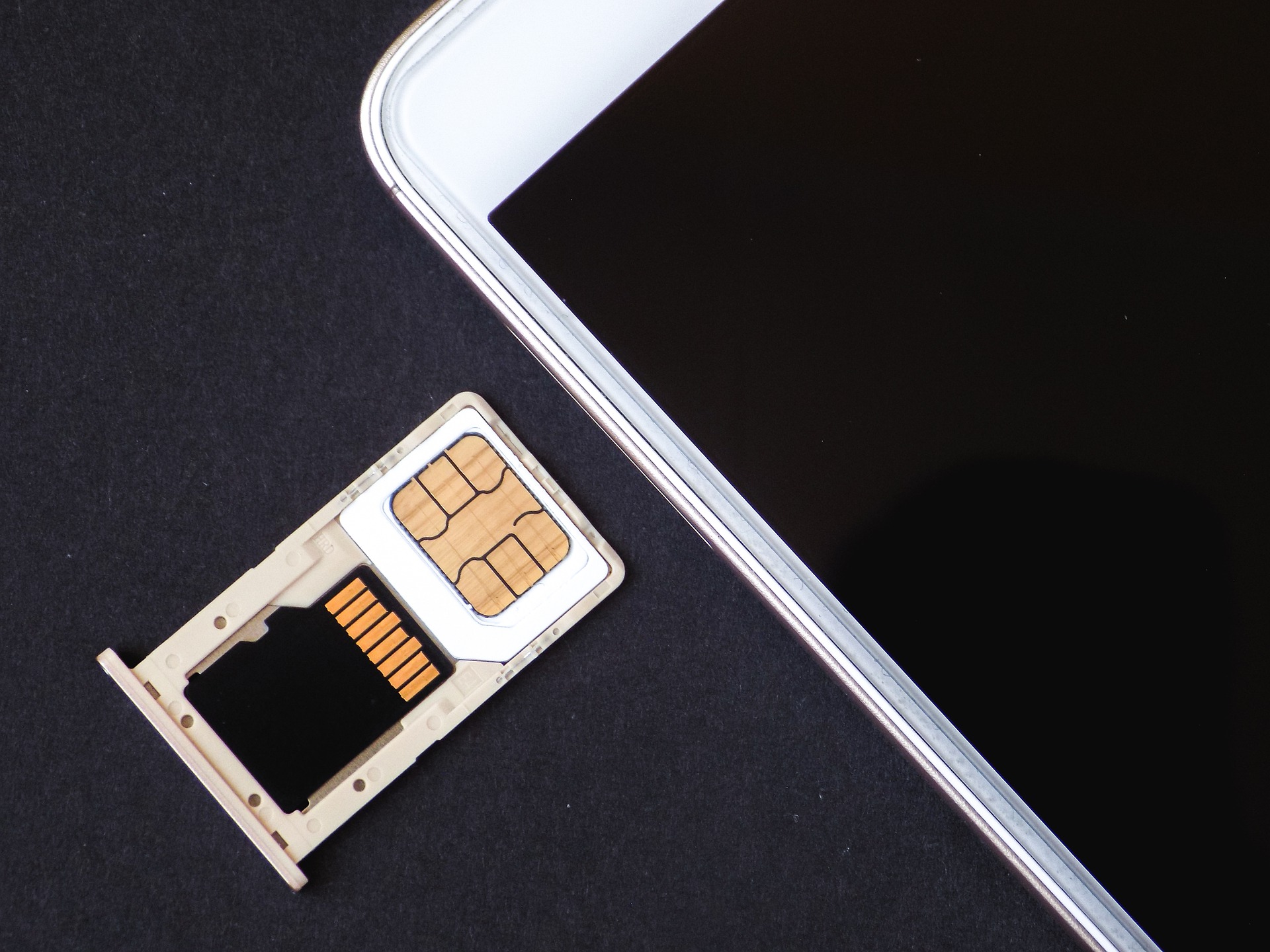
    A SIM card is a circuit responsible for securely storing a unique phone number and personal data. 


    3G, 4G, and 5G:

    The G in (insert number)G stands for Generation; specifically a certain generation of wireless network technology. The greater the number, the newer the generation, and the greater the possibilities for technology. 5G is the latest generation and the best to come yet. It is claimed to be 10 times faster than 4G and can connect to more technology than ever before. 

    iCloud, Google Drive, Samsung Cloud: 

    iCloud, Google Drive, and Samsung Drive are all services that securely store your personal information that is on your device. Your photos, files, and other data can be found on the cloud if you give your device permission to store it. These services become very useful in the case that the data is wiped from your phone. 

    Siri, Alexa, and Cortana 

    Siri, Alexa, and Cortana are all virtual AI assistants that can help you navigate your phone better. Once you activate them by saying “Hey Siri,” “Alexa,” or “Hey Cortana,” you can ask questions and get information quickly, make calls and send texts hands-free, set reminders and note important dates, and much more. 

    iOS: 

    Created by Apple, iOS is a mobile operating system that runs the company’s handheld devices. 

    This rundown consists of essential and secondary specs for your phone. Gigabytes, RAM, and memory are all important elements, whereas iCloud, Siri, and iOS are not essential but definitely a plus to have. 

    With all of these elements in mind, a phone becomes more valuable when these specs are included.  A 128 GB phone is going to cost more than a 16 GB phone. A 5G phone is going to cost more than a 4G phone. 

    These specs are also important if you want to sell your phone. If your device is a newer model in great condition, unlocked, and has a lot of storage space, you are going to make a lot of money back. 

    At the same time, if your phone is damaged, under a certain carrier, and does not provide a lot of storage space, there are buy-back companies that still find value in your device and guarantee that you make the most money back.

    Photo Credit: tomekwalecki via Pixabay

  • When’s the Best Time to Buy a New Phone While Saving Money?

    When’s the Best Time to Buy a New Phone While Saving Money?

    With the New Year comes new releases of highly-anticipated gadgets and devices. Specifically, there is a list of new phones expected to hit the market this year, which include the Samsung Galaxy S21 Ultra, LG Velvet 2, and Huawei P50 Pro.

    But just because a new phone becomes available does not mean that it should be wiped from the shelves immediately. This is because many of these devices come at a high cost. 

    So when’s the best time to buy a new phone while saving money? 

    Buy an Older Model Before a New Release 

    One of the best times to purchase a new phone is a month or two before the release of a newer generation. 

    In preparation for a new phone, retailers focus on making space for new inventory by clearing out old inventory. 

    For buyers, this just means that there is a better chance of saving hundreds just because a phone is one model too old.

    Purchase During the Preorder Period 

    If you are looking to get your hands on a new phone, sometimes the best time to make a big purchase is before the phone even becomes available to the general public. 

    People typically preorder to guarantee that they receive a device, to avoid long lines and large crowds, and to cash in on a deal. 

    Many times, phones sell out within hours from the time it was made available to preorder. If you are swift enough to enter your information on your computer, you won’t have to stress about not receiving a phone.

    As for cost, phones typically remain the same price whether they are being preordered or bought in store. But sometimes you can save a little money through promotions. 

    For instance, during the preorder period of the iPhone 8 and 8 Plus, AT&T had a buy-one-get-one deal, Sprint had a buy-one-get-one with lease deal, and T-Mobile had a buy-one-get-one with a trade-in deal. 

    Any time of the Year, if Done Right

    You can save a significant amount of money by buying second-hand and refurbished phones. 

    Just make sure you look around for reliable and trustworthy companies. 

    Some repair companies have mastered their skills and have a reputation for making once damaged phones work just like new. These phones are then sold for affordable prices. 

    Many times, these same companies will also allow you to trade in the phone you have now. This way, you get rid of a device you no longer want and you get money deducted from an already affordable and pristine-conditioned phone. 

    If you are looking to trade-in a device to your phone carrier, but it has a few flaws such as a broken screen, you should turn to a repair company to get it fixed for a reasonable price.

    To save money, you should also consider buying an unlocked phone. This way you can shop around and look for the best deals provided by different carriers. Some carriers offer deals that you will see immediately, others have deals that are seen after a certain amount of time of their service. 

    After all of this is said and done, timing is key when it comes to purchasing a new phone. You should be mindful of the deals offered during and after the preorder season, consider buying an older model phone, and keep in mind that second-hand phones work just as well as brand new phones. 


  • How Emojis Were Sold to the Masses and Helped Shape Digital Communication

    How Emojis Were Sold to the Masses and Helped Shape Digital Communication

    A picture used to be worth a thousand words. Now it’s worth one emoji. 

    From the way we communicate to the way we dress, emojis have significantly changed how we live in the digital world. 

    So what exactly are emojis, and how did they become the modern universal language? 

    The History of the Emoji

    Before people could add character to their messages with high-spirited smilies and rainbow hearts, they had to use a sequence of colons, dashes, and parentheses, also known as emoticons :-). 

    It was not until the late 90s that the option to use animations in messages became available. 

    According to the Oxford Dictionary, the animation known as the emoji is defined as a small digital image or icon used to express an idea or emotion. 

    The world’s first set of emojis is said to be discovered by Interface designer Shigetaka Kurita in Japan on November 1, 1997. It was exclusively available on the SoftBank, JPhone at the time, SkyWalker DP-211SW.

    With 90 emojis to choose from, there’s not one single smiley face. But, some of the most iconic emojis that would later inspire Apple was born. The smiling poop, the cup of coffee, the surfer- all introduced in 1997. 

    Unlike today’s colorful emojis, the first set was black and white images with little detail. Kurita added color and expanded the collection in February 1999 with the creation of 176 emojis for the release of Japanese phone operator  NTT DoCoMo’s mobile internet service “i-mode.” 

    Staying true to today’s use of emojis, Kurita needed to find a way for people to communicate effectively with i-mode’s 250 character limit. With his 176 emojis, people were able to express themselves without being limited. 

    Even though this set of emojis wasn’t the first on the market, it was the first to become a global sensation.


    In regards to global sensations, Apple released its first set of emojis in Japan in 2008. Apple emojis became worldwide in 2011. 

    Emojis became even more significant in the way we communicate in 2010 when standardized by Unicode 6.0. Companies like Google, Twitter, and Facebook could create their versions of emojis that interpreted well between platforms. A smiley face on a Google device translated to a smiley face on an Apple device. 

    Emojis Become a Universal Language

    With emojis in full use by the 2010s, it became a language that almost anyone could be a part of. In a way, emojis helped unite. 

    • 😊- Happy 

    • ☹️- Sad 

    • 😡- Mad 

    • 🤢- Sick 

    • ❤️- Love 

    • 👨‍👩‍👦- Family 

    Even though these emojis are as basic as they get, they do a great job of conveying emotions, telling a story, and helping people communicate with one another. Whether you are in your hometown or living overseas, the basic use of emojis can help you get your message across. 

    So why exactly are emojis understood on a global scale? It is because humans are highly visual creatures. According to the National Center for Biotechnology Information, humans rely heavily on visual cues for basic adaptive behaviors such as finding food, partners, and shelter. Humans are also known to process information better when presented as a visual. 

    All of this is to say that a collection of emojis is easier to understand more than a string of words, especially when there is a language barrier or misunderstanding. 

    The Great  Pop Culture Blow Up 

    There was a time when emojis were featured on everything and anything- Food, clothes, toys, celebrity apps. 

    (Photo was taken from Pinterest)

    People wore them head-to-toe. Emoji clothing rose to popularity in 2015 and the trend lasted until about 2018. 

    (Photo was taken from Amazon)

    People enjoyed them as a tasty treat. Emoji-themed candy could be found in any convenience store or supermarket. 

    (Photo was taken from Wikipedia) 

    People watched them in theatres. The Emoji Movie, which came out in 2017, only has a 7 percent rating on Rotten Tomatoes. 

    (Photo was taken from TV Guide)

    People guessed them in gameshows. The gameshow Emogenius first broadcasted in June 2017 and lasted until November 2018. 


    (Screenshot from the Kimoji App) 

    People purchased them from their favorite celebrities. Kim Kardashian West launched her series of emojis in 2015, which caused many celebrities to follow. 

    (Photo was taken from YAYOMG) 

    People read them as timeless classics. These books are still being published today and read by many teens. 

    The list of where emojis ended up in the 2010s is endless. Eventually, emojis’ consistent rise to popularity allowed them to turn into a serious communication tool rather than just a cheesy gimmick. 

    The President of the United States uses emojis in his Tweets. Brands such as Taco Bell, Sephora, and World Wide Fund of Nature use emojis in their ad campaigns. Professionals use emojis in their emails to convey emotion. 

    Today’s Updates 

    With Apple’s iOS 14 update came new emojis. 

    According to Emojiprdia, 117 new emojis were released in 2020, bringing the total to 3,136 across different platforms. 

    The new release features emojis such as a mother holding her baby, an emoji face wearing a pair of glasses, and a seal. 

    Apple has been praised for its inclusivity and detail throughout the years with each update. The new set of emojis also features an anatomic heart and lungs, as well as the transgender flag and a hand motion with a variety of skin tones. 

    To use these new emojis, you will have to update your device. If you have an iPhone 6s or newer, you are in luck. 

    If you currently own a later model phone and are tired of seeing [?] symbol replace emojis, upgrade your phone with Tech Reboot.  

    At Tech Reboot, you can sell your old phone and get the most money back no matter the condition, as well as buy a newer one for an affordable price. 


    Tech Reboot is located in Palm Beach Gardens, Florida. There is nothing to worry about if you are not in the area because of the device service’s quick and simple shipping process. 

    All you have to do is answer a series of questions about the device you want to sell, send out your device with the shipping label emailed to you, and receive your payment within days.


    Photo Credit: Domingo Alvarez Via Unsplash.com.


  • Will My iPhone Support the Latest iOS Update?

    Will My iPhone Support the Latest iOS Update?

    For several years, Apple has consistently released new iOS updates for the iPhone, iPod, and iPad

    The latest update is iOS 14 and redefines how you use the most iconic features on your phone, with new widgets, convenient messaging, updated maps, and new-and-improved Siri. 

    With the oldest iOS device dating back to 2007, not every update is going to be compatible with every device. 

    If you have been unsuccessful with updating your device to the latest version, it may be because it is outdated. In this case, your only solution to stay up-to-date is to upgrade your device entirely. 

    To upgrade your device for an affordable price or make extra money, visit Tech Reboot

    Tech Reboot is a great option because you receive a free instant quote that is guaranteed for 14 days from when you submit your order, you make the most money possible for your device in any condition, and get paid within 48 hours from the time your device is received. 

    What also makes Tech Reboot a great option for you to upgrade your device is the fact that you can put your profit towards another device on their site. 

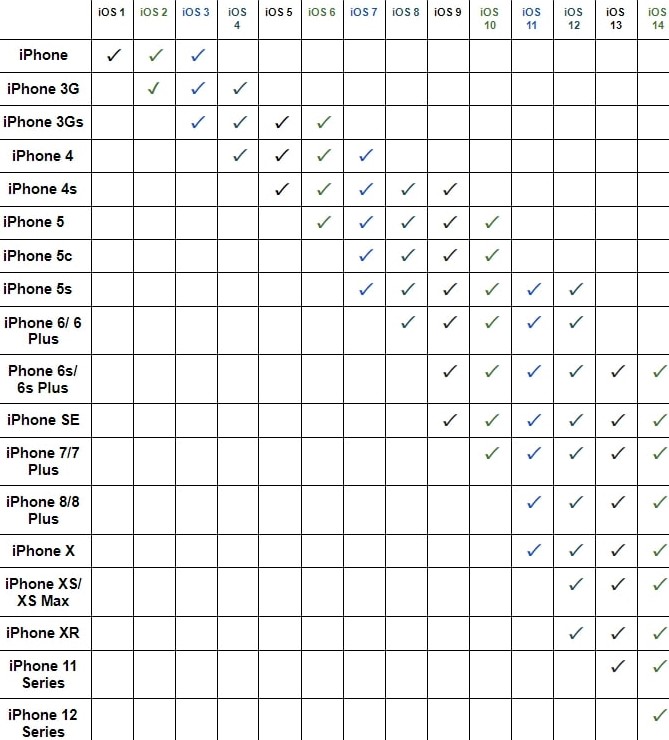
    If you are interested in upgrading your device and iOS version but  not sure about compatibility, here’s a rundown: 

    • iOS 1 supports iPhone First Gen 

    • iOS 2 supports the iPhone, iPhone 3G

    • iOS 3 supports iPhone, iPhone 3G, iPhone 3Gs

    • iOS 4 supports iPhone 3G, iPhone 3Gs, iPhone 4

    • iOS 5 supports iPhone 3Gs, iPhone 4, iPhone 4s 

    • iOS 6 supports iPhone 3Gs, iPhone 4, iPhone 4s, iPhone 5 

    • iOS 7 supports iPhone 4, iPhone 4s, iPhone 5, iPhone 5c, iPhone 5s 

    • iOS 8 supports iPhone 4s, iPhone 5, iPhone 5c, iPhone 5s, iPhone 6/6Plus 

    • iOS 9 supports iPhone 4s, iPhone 5, iPhone 5c, iPhone 5s, iPhone 6/6Plus, iPhone 6s/ 6s Plus, iPhone SE

    • iOS 10 supports iPhone 5, iPhone 5c, iPhone 5s, iPhone 6/6Plus, iPhone 6s/ 6s Plus, iPhone SE, iPhone 7/ 7 Plus 

    • iOS 11 supports  iPhone 5s, iPhone 6/6Plus, iPhone 6s/ 6s Plus, iPhone SE, iPhone 7/ 7 Plus, iPhone 8/ 8s, iPhone X

    • iOS 12 supports  iPhone 5s, iPhone 6/6Plus, iPhone 6s/ 6s Plus, iPhone SE, iPhone 7/ 7 Plus, iPhone 8/ 8s, iPhone X, iPhone XS/ XS Max, iPhone XR 

    • iOS 13 supports iPhone 6s/ 6s Plus, iPhone SE, iPhone 7/ 7 Plus, iPhone 8/ 8s, iPhone X, iPhone XS/ XS Max, iPhone XR, iPhone 11 Series 

    • iOS 14 supports iPhone 6s/ 6s Plus, iPhone SE, iPhone 7/ 7 Plus, iPhone 8/ 8s, iPhone X, iPhone XS/ XS Max, iPhone XR, iPhone 11 Series, iPhone 12 Series

  • Should You Buy AirPods, AirPods Pro, or AirPods Max?

    Should You Buy AirPods, AirPods Pro, or AirPods Max?

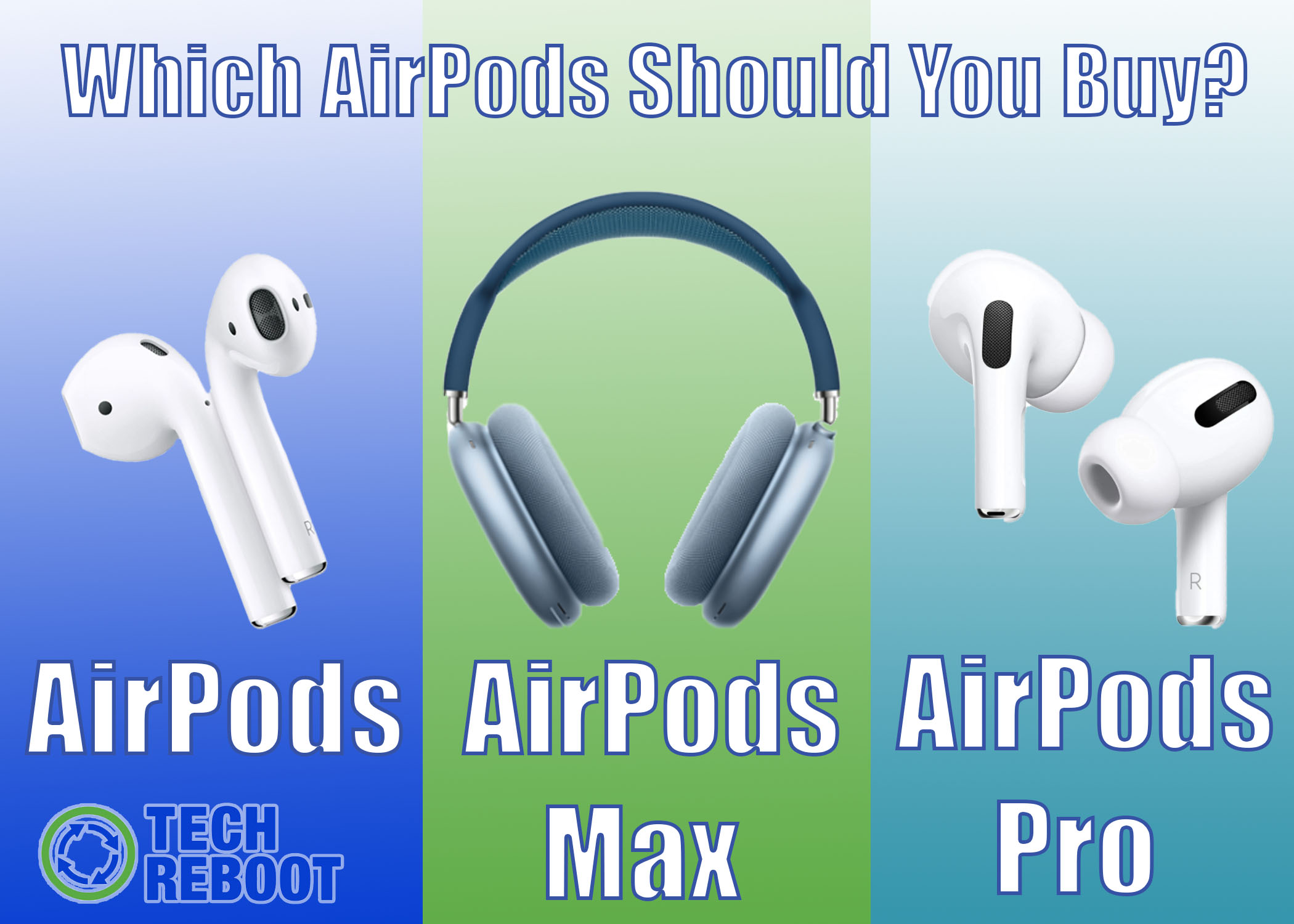
    For you, music may contribute greatly to your quality of life. With this being said, the quality of how you listen to music matters too. Thankfully, Apple now has three high-quality options for you to choose from to enjoy your listening experience. Each having their own unique qualities, should you buy AirPods, AirPods Pro, or AirPods Max? 


    AirPods Max 

    AirPods Max is the newest addition to Apple’s collection of audio accessories. They are also the priciest. For $549, you can own a pair. 

    You won’t have a pair in your hands for a while though. The AirPods Max became available for preorder on Dec. 8, and shipping won’t begin until Dec. 15. So don’t get your hopes up if you expect to receive them before Christmas.

    Apple describes AirPods Max as “A perfect balance of exhilarating high-fidelity audio and the effortless magic of AirPods. The ultimate personal listening experience is here.” Their active noise cancelation and amplified surround sound bring this to fruition. 

    What makes Max’s drastically different from the other two is its design. The AirPods and AirPods Pro are wireless earbuds, whereas the AirPods Max is designed like a traditional set of over-the-ear headphones. 

    These headphones are made up of a headband with breathable knit mesh that helps reduce on-head pressure, a stainless steel frame warped in soft material for max flexibility and comfort, telescoping arms that easily extend, memory foam ear cushions, and aluminum cups surrounding the ear cushions that help balance pressure.

    With its wireless components, a digital dial knob on the side of the ear cup allows you to precisely control volume, skip between tracks, answer phone calls, and activate Siri. 

    What may also drive you to buy a pair is the fact that they come in five different colors: white, black, blue, coral, and green. 


    AirPods 

    AirPods are Apple’s OG wireless earbuds. They were released in December 2016 and have been very popular since then.

    One reason why you may consider buying AirPods rather than AirPods Max is because of the price. With the wireless charging case included, AirPods cost $199, a $350 difference. 

    AirPods are simple to set up and can sense when they are in use. Once they are in your ears and connected to your iPhone, Apple Watch, iPad, or Mac, you can listen to your music, videos, and podcasts. When you take them out, your audio pauses, preserving its battery life. 

    Apple promises that AirPods have up to five hours of listening time on one charge, more than 24 hours of battery life with the charging case, and up to three hours of listening time with only a 15-minute charge. The AirPods Max holds a 20-hour charge. 

    What is unique about AirPods is its Audio Sharing. With Audio Sharing, you can share songs, podcasts, and other audio between two sets of AirPods, while each having individual control of audio volume. 


    AirPods Pro

    The AirPods Pro is one step up from AirPods and costs $249.

    Like the AirPods Max, AirPods Pro has active noise cancelation for the best sound quality. But they also have Transperacy mode, which allows you to listen to what’s happening in your surrounding area. 

    One of the main complaints with AirPods and other wireless devices is that they can easily fall out and go missing. With three different size options- Large, Medium, Small- AirPods Max will sit comfortably in your ears all day. They are also water-resistant, which will surely give you one less thing to worry about. 

    The AirPods Pro provides more than 24 hours of listening time, up to 4.5 hours of listening time on one charge, and around one hour of listening time on a five-minute charge. 

    Each set of AirPods has its own pros and cons, but no matter what you decide to buy, you are guaranteed to get high-quality audio.

    If you plan to sell or buy any tech any time soon, check out Tech Reboot for affordable prices and the most money guaranteed for your device.

  • Did You Buy a Fake iPhone? Here’s How You Can Tell

    Did You Buy a Fake iPhone? Here’s How You Can Tell

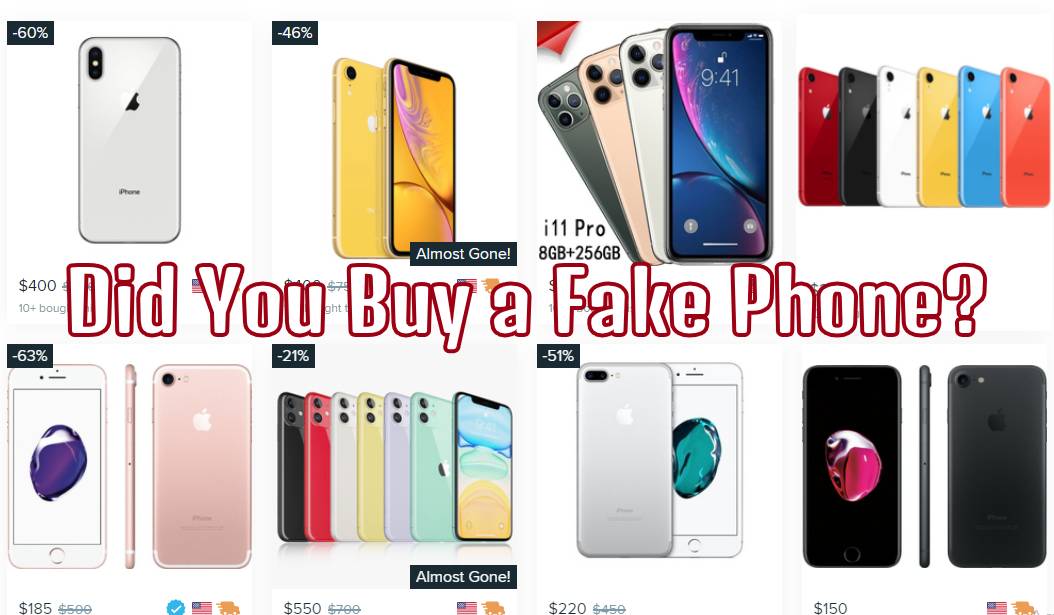
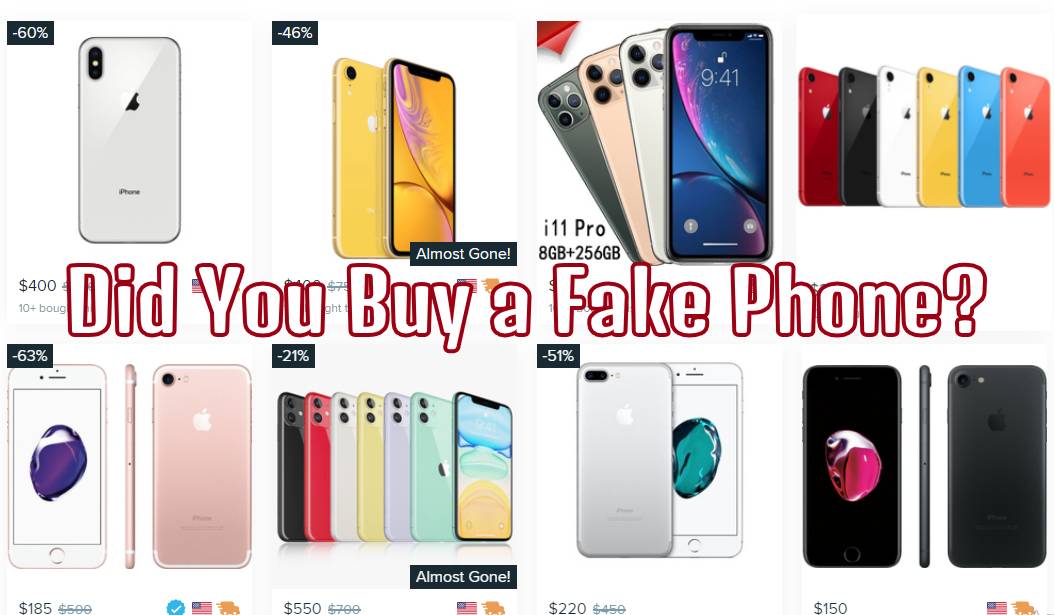
    f you are on the lookout for a new iPhone while on a tight budget, please take caution. There are websites such as Wish.com that sell replicas of the devices you actually want. If you recently bought a phone online and doubt its authenticity, here’s how to tell if it is fake. 

    The Price

     If the price seems too good to be true, it probably is. 

    Wish is currently selling an iPhone 11 Pro Max for $141. The real deal is priced at about $1,149.99. 

    Saving a significant amount of money does not sound like an issue, but it becomes one once you consider that you are paying for the quality of your phone- or the lack thereof. 

    The Product  Description 

    Referring to the “iPhone 11 Pro Max” again, the first red flag of this product is that the description clearly states it is a duplicate. This should be enough for you to realize that you will not be receiving an authentic device in the mail.

    The second red flag in the description is the number of grammatical errors. No single person or company is perfect, but highly-valued and credible phone retailers such as Apple, T-Mobile, and AT&T would not publish an official description for a product with mistakes such as “you've,” “turnsyour,” or “themobile.” (Every example was pulled directly from the product description). 

    One more red flag of this device and others alike is the “Package Includes” section. Based on the description, the replica comes with one phone, one charger, one set of headphones, one user manual, one phone case, and one protection film. Nothing sounds wrong with the bundle except the fact that authentic out-of-the-box iPhones don’t come with phone cases. Phone cases have always been a separate purchase. 

    Honestly, besides these hiccups, the product description looks very convincing, which is why you should inspect the device’s details from the inside out. 

    The Physical Details

    IMEI/ Model Number: If the IMEI/model number on the back of your phone does not match up with the details of your settings, your phone is probably fake.

    The Logo: Companies have done a great job at replicating the Apple logo on the back of phones, but you can get your answer from the welcome screen. When you first turn on an iPhone, an Apple with a loading bar beneath it appears. This feature typically does not happen with fake devices. 

    The Camera: Just based on outer appearance, a fake iPhone camera tends to appear smaller than one on a real phone. As for the actual camera app, fake iPhones have significantly lower resolution, and many times replicas don’t offer all of the same features, such as filters and color correction. 

    iTunes and Apple Store: Most fake iPhones do not carry these two apps. If these apps happen to be on your device and constantly have issues opening or directs you to another app, you most likely have a fake device.  

    The list of red flags goes on and on. From the device’s weight to its charging port, screws, and Control Center features, there are many details to look out for. 

    There is nothing wrong with wanting to save money, but if you are expecting to receive a real product, you have to browse carefully. 

    Fortunately, companies such as Tech Reboot sell real, high-quality devices for affordable prices. You can also sell unwanted devices to Tech Reboot in any condition and are guaranteed more money than any other buy-back company. If you are interested in purchasing or selling, please reach out to support@techreboot.co.

  • Sell Your AirPods

    Sell Your AirPods

    When AirPods were first released in 2016, it seemed as if everyone had a pair. Without a doubt, the modern and chic-designed Bluetooth captivated many. Despite how tangle-free and new they are, there are a few cons that may leave you regretting your purchase or wanting to sell your Airpods

    Here are a few reasons why you should consider freeing your hands of this hands-free device. 

    AirPods are easy to lose

    Most can agree that the main issue with AirPods is the fact that they are so easy to lose track of. 

    Let’s say you’re listening to music as you work out. Even though  AirPods won’t get in your way, you’ll have to constantly keep an ear out. 

    Unlike traditional earbuds, if your AirPods fall out of your ear, there is nothing for them to hold on to.

    The lack of wires increases your chance of losing an AirPod because the only thing keeping them in place is the compatibility between the shape of your ear and the device.

    AirPods are pricey 

    Everyone makes mistakes, but some mistakes cost more than others.

    The average set of standard earbuds cost about $10. If you accidentally lose or break a pair, replacing them won’t be a big deal. 

    For AirPods, this is a different story. A pair of Apple Airpod 2nd Gen’s or AirPod Pros will cost you at least $100. 

    If you just need the wireless charging case, it will cost you around $80. 


    AirPods need to be charged

    Speaking of wireless charging cases, this accessory is essential for AirPods because, without it, your pods are useless. 

    According to Apple, your AirPods allow you to get up to five hours of listening time or three hours of talk time on one charge. 

    Once your batteries start to run low, you will receive a notification. The smart thing to do is charge it using your case.

    But here’s the catch- Your case requires charging too. 

    Wireless technology shows no remorse. It does not matter if you are listening to your favorite song or about to hear the best part of a podcast, if you don’t remember to charge your devices, you’ll have to tune in next time. 

    For this reason, wired headphones will always be a reliable choice. 

    AirPods are not as easy to replace

    You will not be able to find a pair of (real) AirPods at your local gas station or corner store. Instead, you’ll have to make a trip to the Apple Store or big box store. 

    If you happened to misplace or break a pair of AirPods, you’ll have no choice but to purchase a new pair entirely. Like mentioned before, this is not an affordable replacement. 

    Let’s say you’ve only lost or broken one pod. You would think that the replacement would cost you little to nothing- but think again. 

    Just to replace one single pod will cost you at least $69. If you need an AirPod Pro replacement, it will cost $89 each. 

    AirPods aren’t included with your phone 

    With every iPhone purchase, you expect three things to be in the box- the phone, the charger, and the earphones. 


    If you have just purchased the iPhone 11 or iPhone 12, don’t get your hopes up. 

    It was recently announced that the iPhone 11 will no longer come with EarPods, and the iPhone 12 does not come with EarPods or a charger. 

    So, do these phones come with AirPods instead? Nope. A separate purchase is required for you to get a hold of AirPods, even after already spending $1,000+. 

    If you are tired of the high maintenance of AirPods or the cost to replace them, you can sell your device to Tech Reboot to make listening on your phone stress-free again.

  • Can You Sell Devices in Bulk?

    Can You Sell Devices in Bulk?

    Do you upgrade your phone every time a new model is released? Are you clumsy and break several phones a year? Or are you indecisive about what phone you want to use? 

    If you have gathered several phones throughout the years that are now collecting dust, you can sell them in bulk to Tech Reboot and make great money too. 

    As long as you have a minimum of 10 devices, you are eligible to cash them in regardless of their condition. 

    With our rewards system, you can receive up to a 15 percent bonus from your order. So the more the bulk is worth, the more you make in return. And just to be sure, Tech Reboot gives you a free instant offer. 

    Bonus

    Paid Devices 

    15%

    $1,000

    10%

    $100

    7%

    $50

    5%

    $20

    3%

    $10

    2%

    $5

    1%

    $3

    Tech Reboot takes pride in paying customers more for their devices than any other buy-back company, so you’re sure to make a profit. 

    The quick and simple process is done in three steps

    1. Get a free instant offer 

    Select your device(s) and answer a few simple questions to generate your quote instantly! 

    1. Ship your device(s)

    We will email you a free shipping label. Just box it up and drop it off at any post office or shipping store. We’ll handle the rest!

    1. Get Paid  

    We inspect your device(s) as soon as it arrives at our warehouse. You’ll get paid within 48 hours of delivery. It’s as simple as that! 

    Rather than sell your devices to individuals or throwing them out, consider working with Tech Reboot. 


    Not only can you easily track your order from the time it is shipped out, but you can complete your transaction with zero contact, and get paid within 48 hours of us receiving your order. 


    One customer, Adose O. shared his experience selling to Tech Reboot. 

    Sold them 2 phones, 1 iPhone 7 and one iPhone 6. They paid me really quickly and made it really easy for me to get cash for my unused phones. Thank you!

    Now go wipe the dust off of your devices and prepare to sell them to us!


  • Can You Buy More Storage on a 16 GB iPhone?

    Can You Buy More Storage on a 16 GB iPhone?

    Did you buy a 16 GB phone because of its significantly low price but are now regretting your decision because of little storage space?

    Fortunately, there are ways to expand your storage and work efficiently with what you have. 

    To set the record straight, even though expanding your storage space is possible, your device will always have a set capacity. This means that your 16 GB iPhone will only ever be able to store 16 GB worth of data. 

    With there being a difference between external and internal storage, the only way to expand the latter is to sell your device and buy a new one with more storage space.  


    iCloud

    So what happens when your apps, music, and podcasts eventually use up all of your storage? 

    For iOS devices like the iPhone, iPad, or iPod, you automatically receive 5 GB of free iCloud storage. 

    iCloud is a storage system that allows your device to safely store your important information such as photos, files, and notes. It keeps your data up-to-date and makes it accessible anywhere you are.

    Once you run out of space on iCloud, you can purchase more storage starting at 50 GB for $0.99 a month. 

    If you do not want to purchase more storage, you can always free up space by deleting unnecessary and unused content. 

    To keep track of your iCloud storage, go to your settings, select your name, and tap on iCloud. There you will see how much of your storage is being used up by photos, docs, and other apps. 


    How to Save Space on Your Device

    It is very difficult to do anything besides make phone calls and send messages on a 16 GB device, but it is still possible. 

    Just like you would with iCloud, one of the best ways to save space on your device is by deleting unnecessary apps.

    You can also delete specific content from apps, such as pictures and videos. Many times, photos are responsible for taking up the most space, so to prevent that from happing for as long as possible, turn on Optimize Storage after accessing iCloud Photos. 

    To keep track of how much data is available on your device, go to settings, select General, and then select Device Storage. 

    Your data storage is divided into categories such as Apps, Media, Systems, Messages, and Other. 


    Alternatives

    If you are not willing to upgrade your device or purchase more storage, and you hate the idea of deleting data you can either

    • Upload your data directly to your computer 

    • Purchase a flash drive that plugs into your Lighting port 

    • Purchase a wireless hard drive


    Expand your Internal Data 

    Eventually, your space-saving routine may become tiresome. Rather than having to constantly worry about storage space or how to conserve it, upgrading your device may be the best option.

    There are trade-in services that will buy your 64 GB device from you for a good price and allow you to use the difference to purchase one with a great amount of storage. 

    So why not sell your 16 GB iPhone 6 and trade it in for a 256 GB iPhone X?

    Not only will you save space, but time, money, and effort too.


  • Can You Sell Your Unpaid AT&T Phone?

    Can You Sell  Your Unpaid AT&T Phone?

    Click here if you are looking to sell your unpaid T-Mobile device.

    When you sell an unpaid phone or device, you have to keep in mind that just because you no longer own the phone does not mean that your responsibilities disappear too. 

    Many phone companies, such as AT&T, make it clear that if you sell an unpaid phone and neglect the payments, it could affect you and the new phone owner. 

    If you are looking to sell your unpaid phone without jeopardizing yourself or someone else, keep reading


    The AT&T Contract

    In AT&T’s terms of service, it states that when you sign the contract, you agree to make all required payments as needed. 

    If you fail to meet your obligations, AT&T reserves the right to cancel your service and terminate your contract. 

    This occurs if: 

    • You fail to make required payments when due 

    • Your credit has deteriorated and they believe there’s a chance of non-payment 

    • You refuse to pay required any advance payments


    What Happens if I Don’t Make Payments? 

    Unlike T-Mobile, AT&T will not blacklist your phone when there are several missed payments. 


    Instead, they lock your phone. A locked phone is one that can only be used with the carrier’s service. All AT&T devices come locked, and can only be used with a compatible SIM card. 

    Only after the phone is paid in full and all requirements are met is when a phone can be unlocked, meaning that buyers under other carriers have access to the device. 


    How do I Sell my Unpaid Phone?

    You will have the most luck selling your phone if it is completely paid off, but if this is not the case there are still options. 

    If you are selling your phone directly to someone else, the first thing you should do to have a successful transaction is to notify the buyer that the phone is unpaid and locked. 

    Many times, people are not properly notified of the risks and are left with a phone they can’t even use. 

    You can also sell your phone to buy-back companies such as Tech Reboot, which gives you an instant cash quote and pays more than any other service. 

    Above everything else, the most important thing you can do for yourself and the buyer is making sure you are making your payments on time.

    This will give you a good reputation if you ever need to sell an unpaid phone again, and gives you the freedom to switch carriers and get a new phone.